Discord Bookmarks
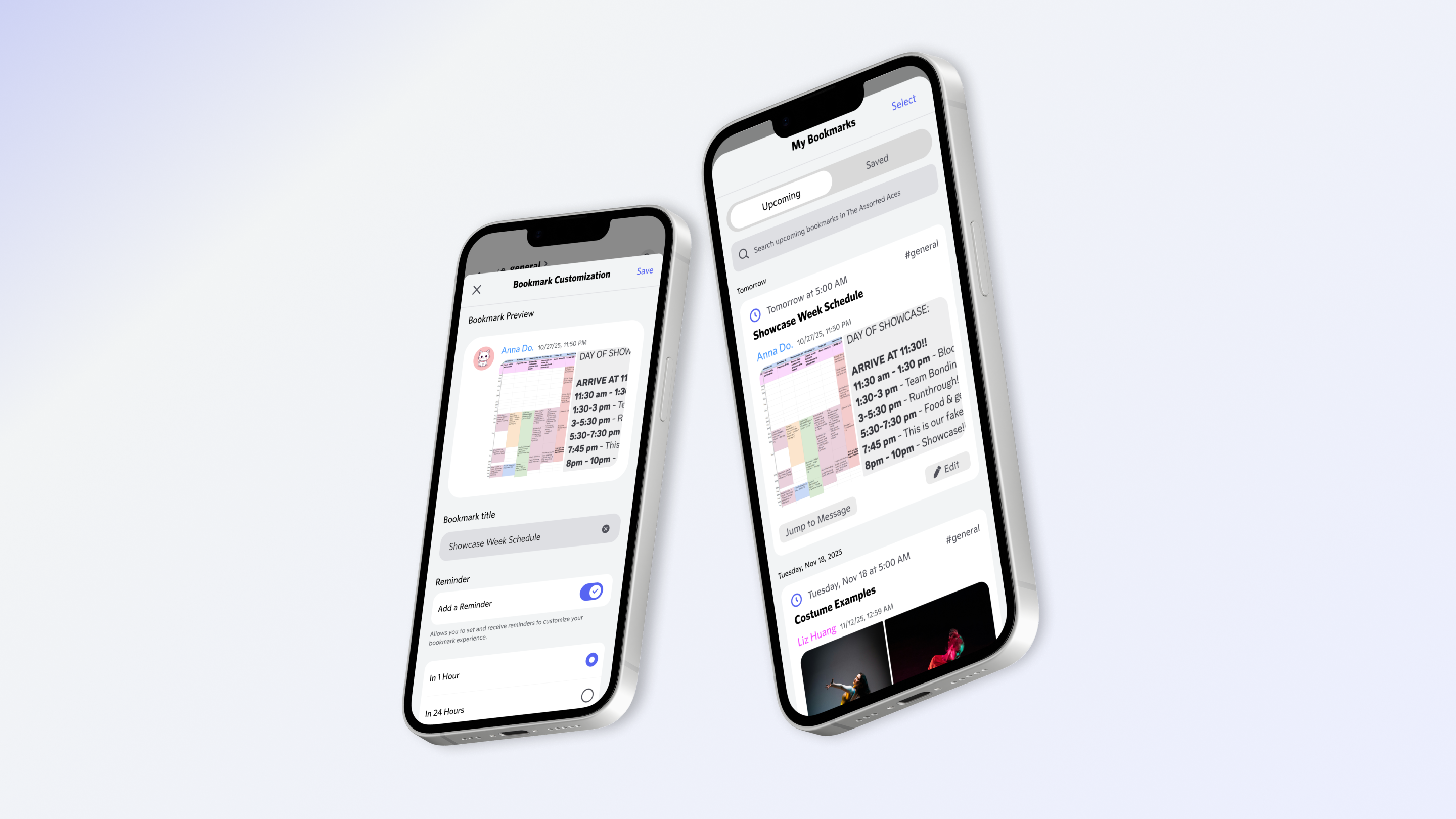
Helping Discord users stay organized and productive by designing a bookmarks feature that saves important messages from getting lost in busy conversations.
The Problem
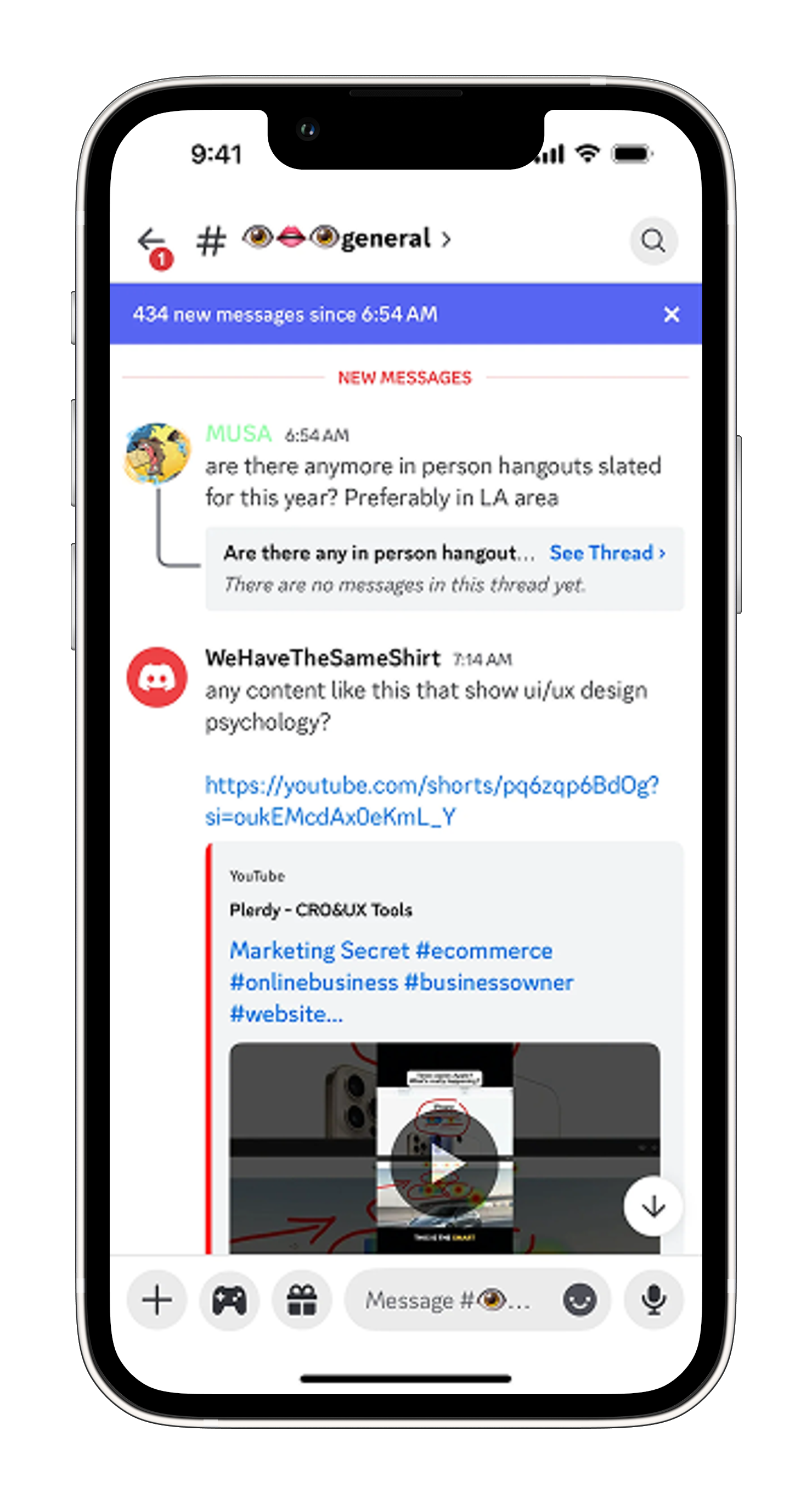
Important messages disappear in hours
I'm in several Discord servers for dance team, project groups, and clubs. Critical information like practice schedules, form deadlines, and meeting links gets buried fast.
Two weeks ago, I missed a form deadline because I couldn't find the message. After endless scrolling, I gave up.
User Research
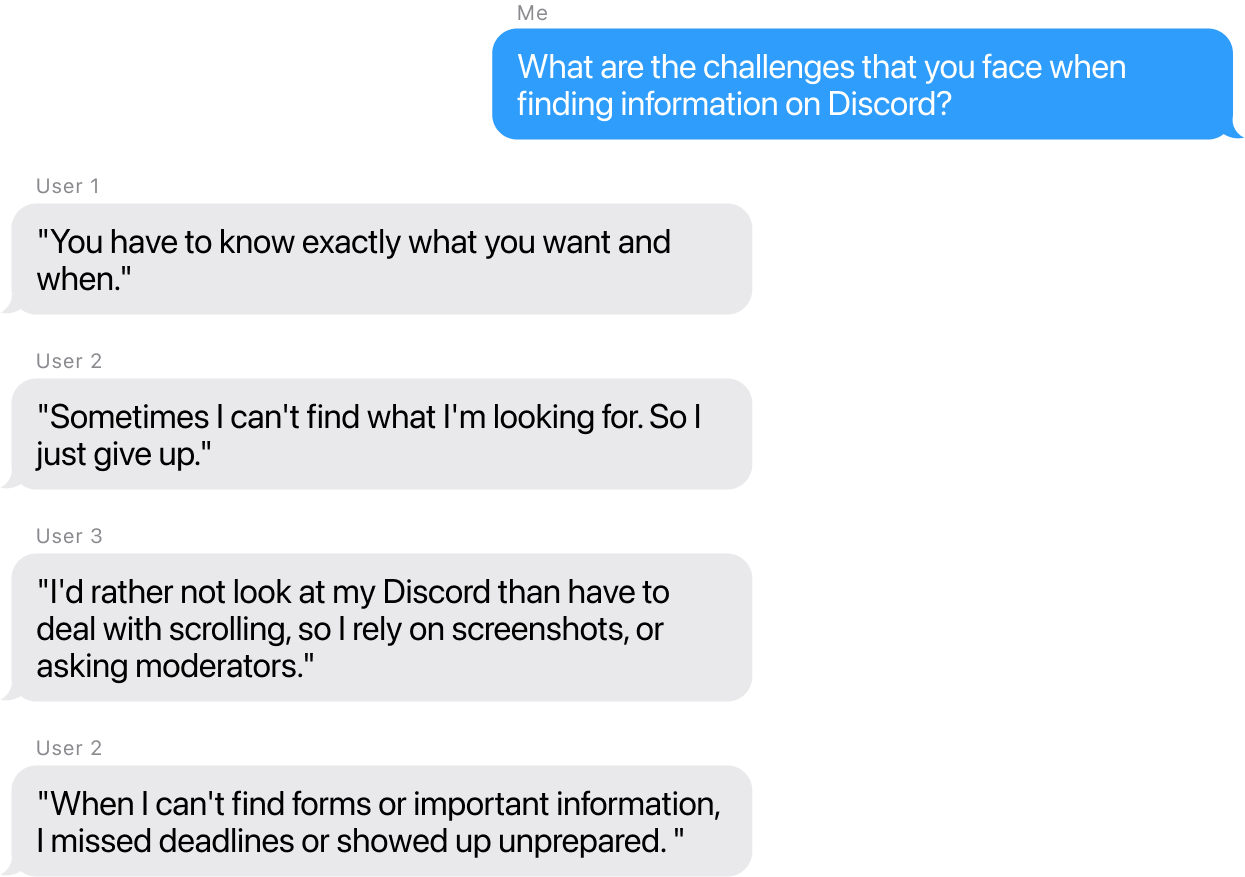
Finding info feels impossible
After interviewing 3 users who actively use Discord for activity groups (dance teams, clubs, and job seeking), I discovered a pattern:
User Journey
The frustrating search for old messages
I mapped out how users currently try to find information in Discord, revealing multiple pain points and moments of frustration that compound over time.

Result: Users feel defeated and anxious about missing important information.
Ideation
From 90+ ideas to 3 concepts
I recruited 2 Discord users to brainstorm solutions. We came up with 50+ "How Might We" questions, grouped them into opportunity areas, generated 90+ solutions across the three areas, then sketched flows to understand feasibility.

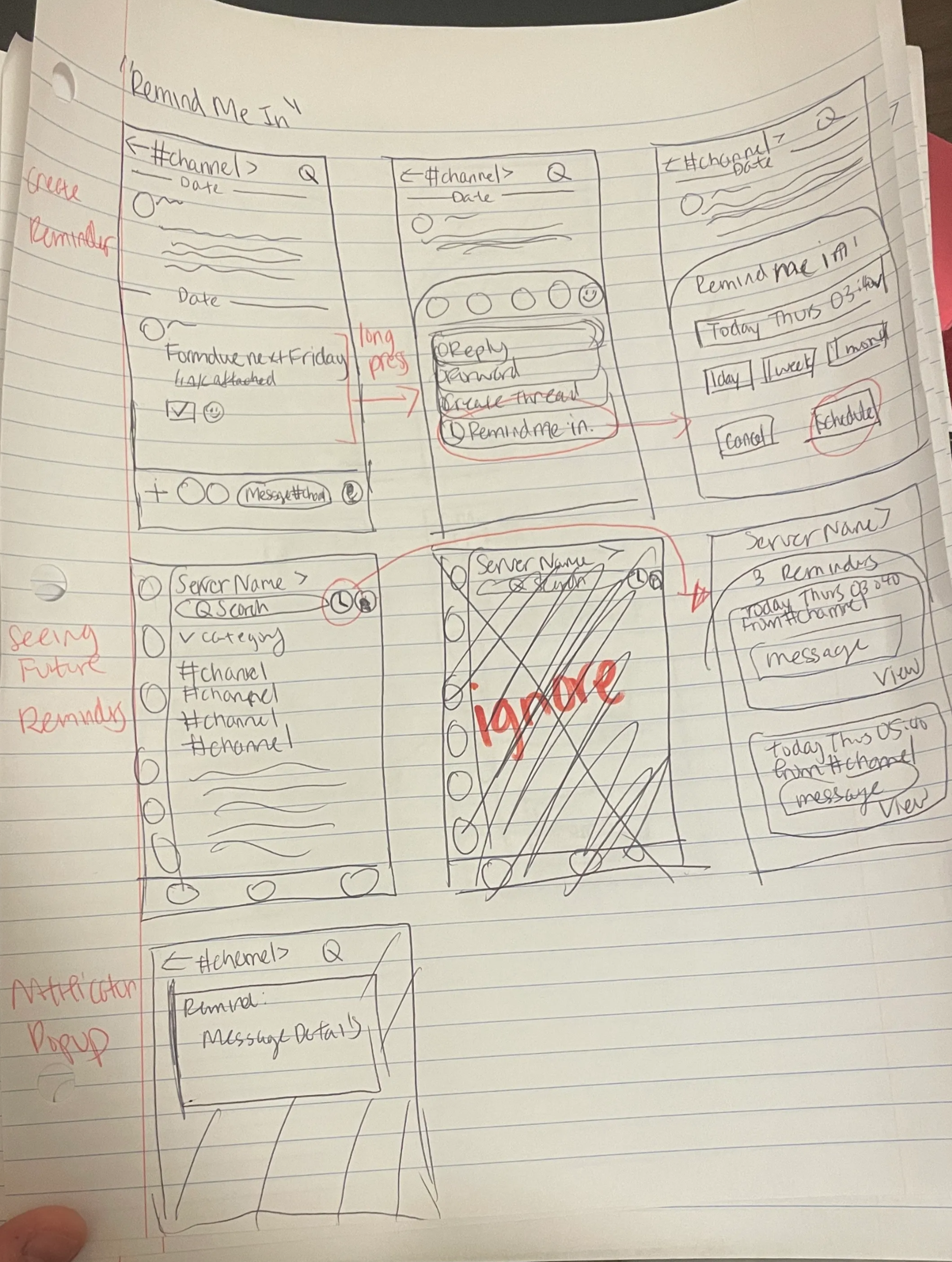
1
Reminder/Schedule Alerts
"Remind Me In" feature for time-sensitive messages
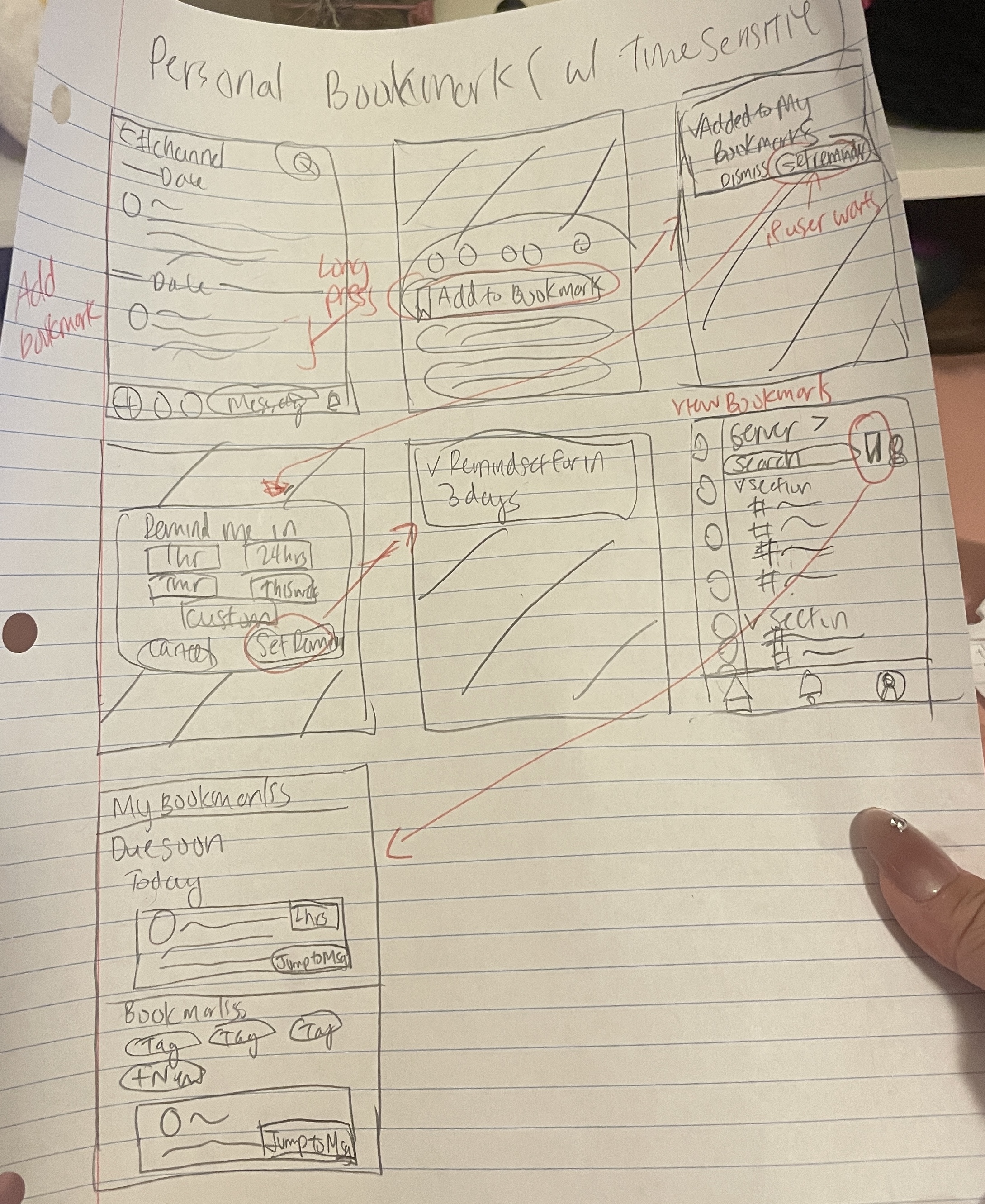
2
Personal Bookmarks
Save messages with optional reminders
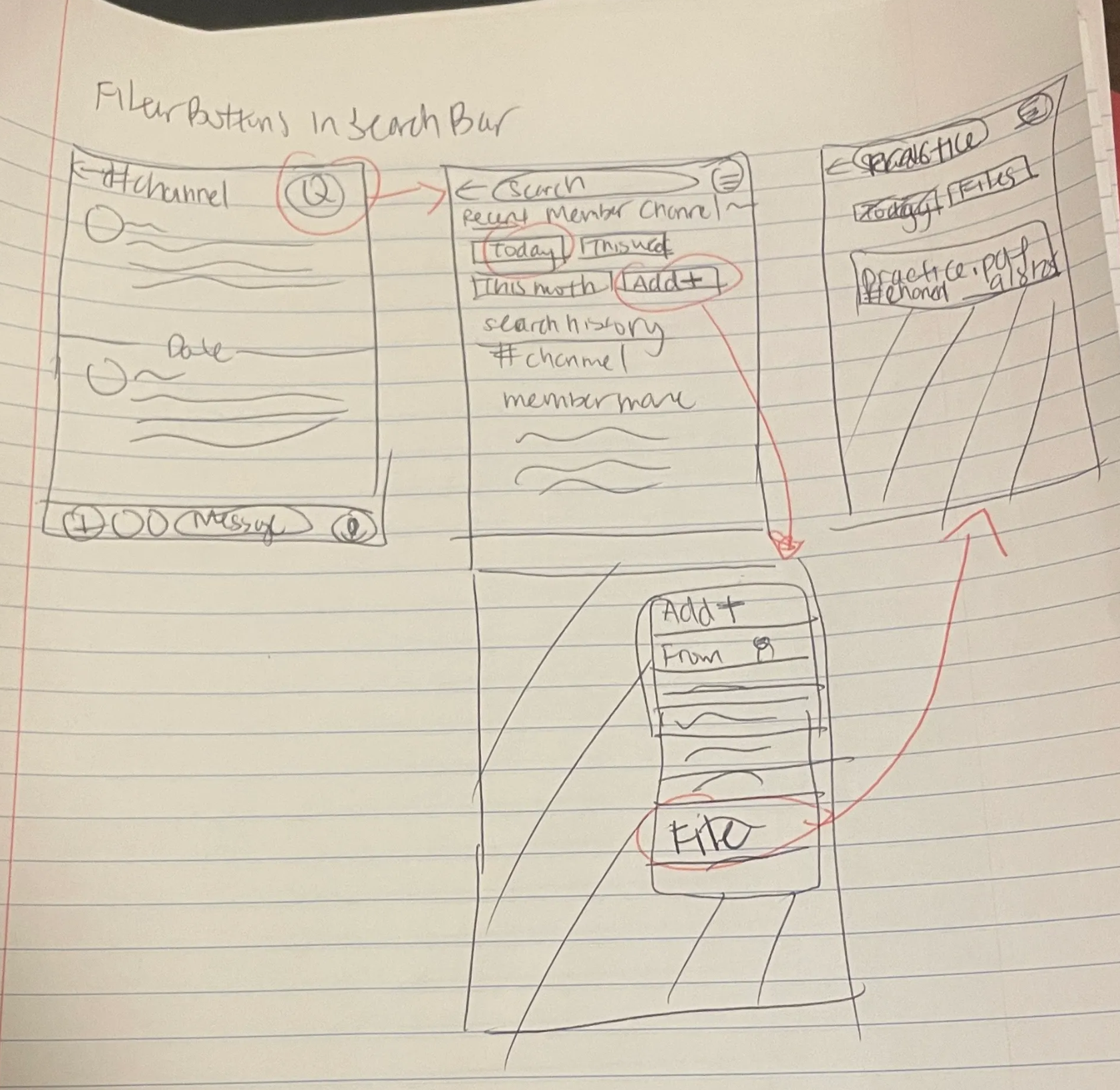
3
Quick Filter Buttons
Make search filters more visible and intuitive
The Turning Point
Why bookmarks over better search
I initially thought improving search was the answer. But better search is reactive: users still forget to look. Bookmarks are proactive: users save messages before they get buried, then access them anytime with optional reminders.
Design Exploration
Key Design Decisions
I created medium-fidelity prototypes to explore critical questions: How should users create bookmarks? Where should they access them? How should they find saved items? Each decision involved trade-offs between speed, discoverability, and context.
Creating Bookmarks: Context Menu vs. Gesture
I debated between a familiar context menu and a faster swipe gesture. The context menu was discoverable and matched Discord's existing patterns, while the swipe was lightning-fast but hidden to new users.
Context Menu
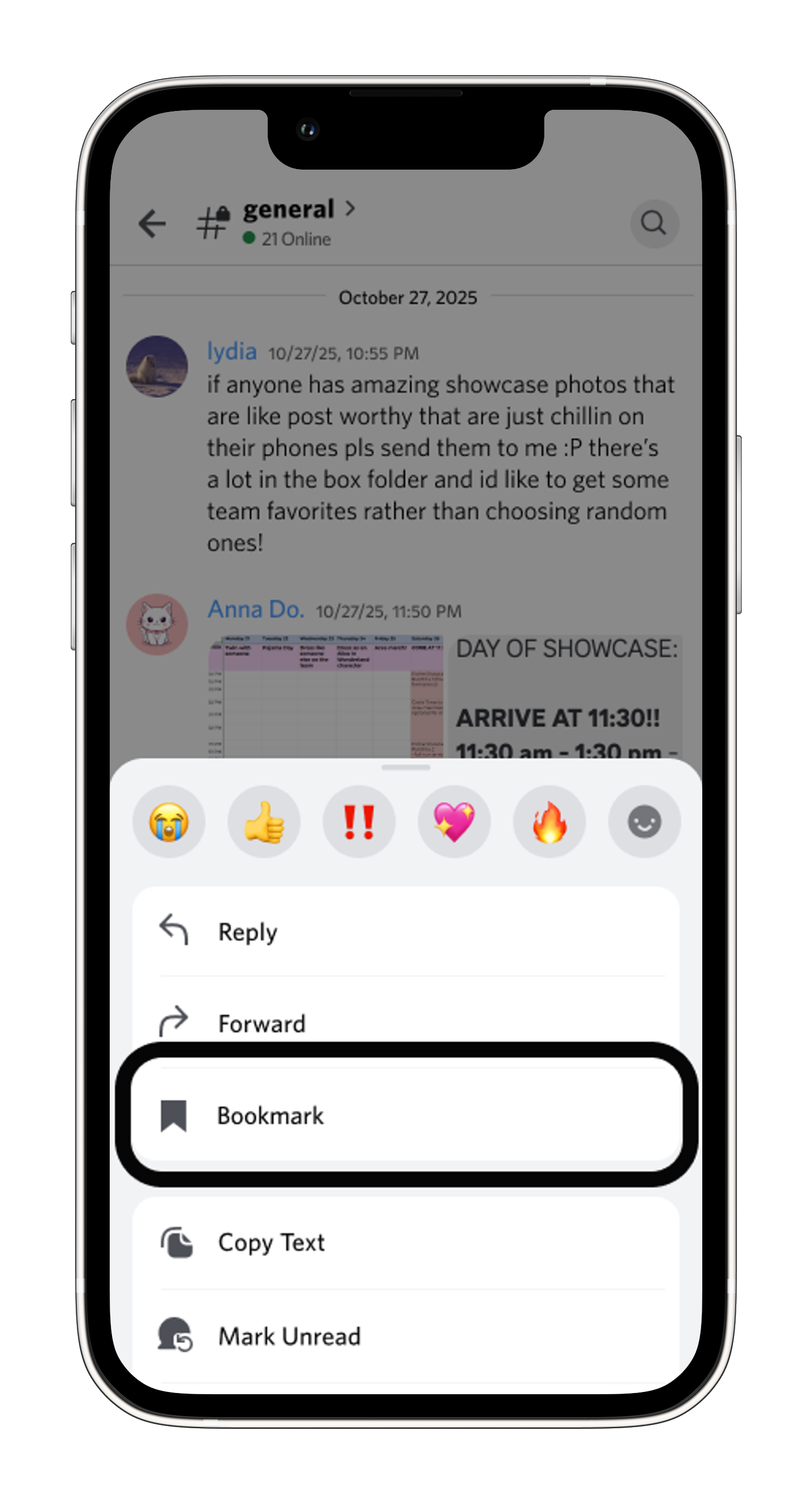
- ✓ Discoverable: users already long-press messages
- ✓ Matches Discord's existing patterns
- ✗ Requires extra tap vs. gesture
Swipe Gesture
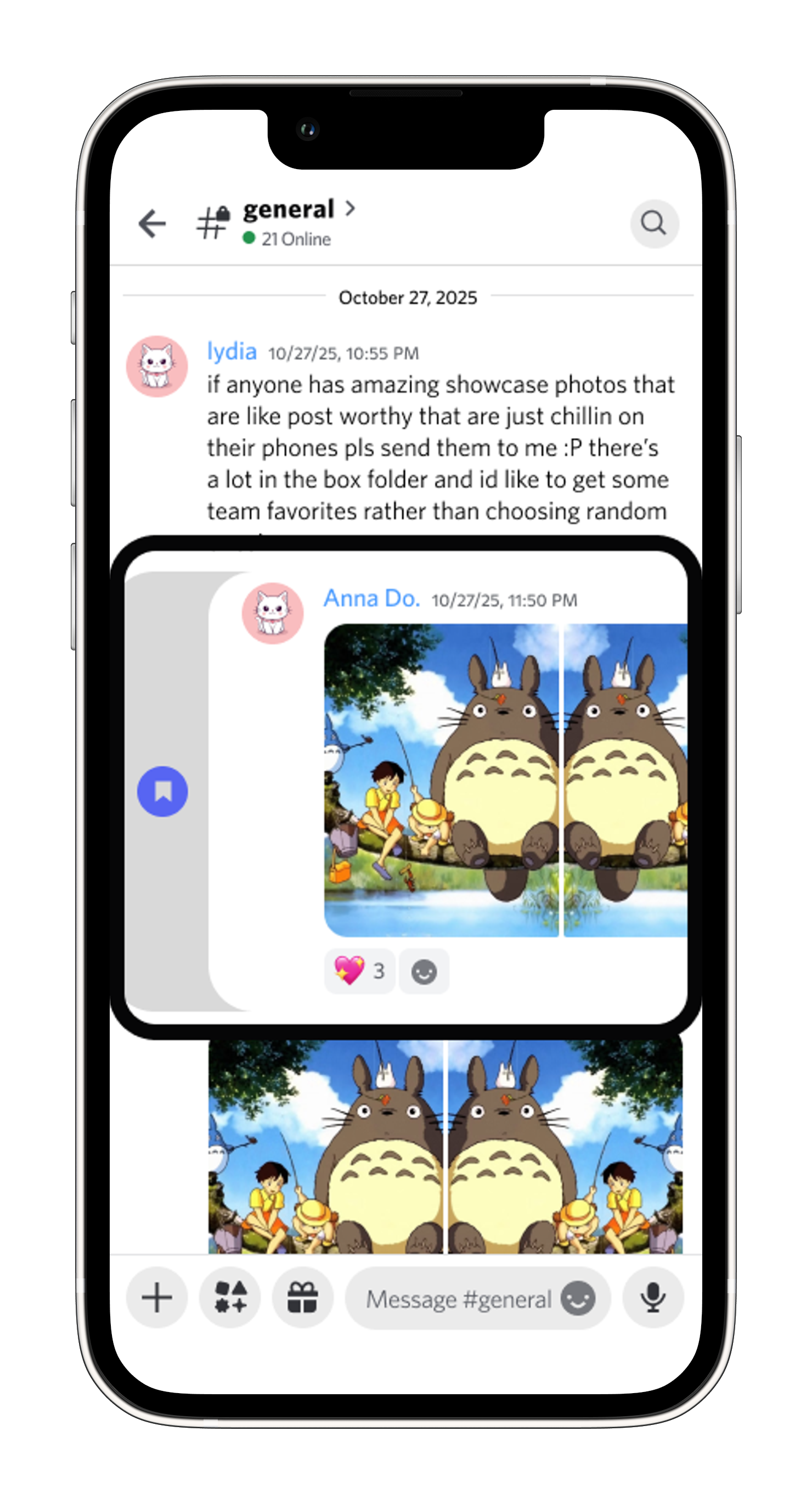
- ✓ Lightning-fast for power users
- ✗ Hidden from new users
- ✗ Adds new interaction pattern to learn
Decision: I went with context menu because I prioritized discoverability. Users already long-press messages for other actions, so adding "Bookmark Message" here felt natural.
Accessing Bookmarks: Where Should They Live?
The biggest question was placement. Should bookmarks always be visible, tied to channels, or tucked in the profile?
Server Main Navigation
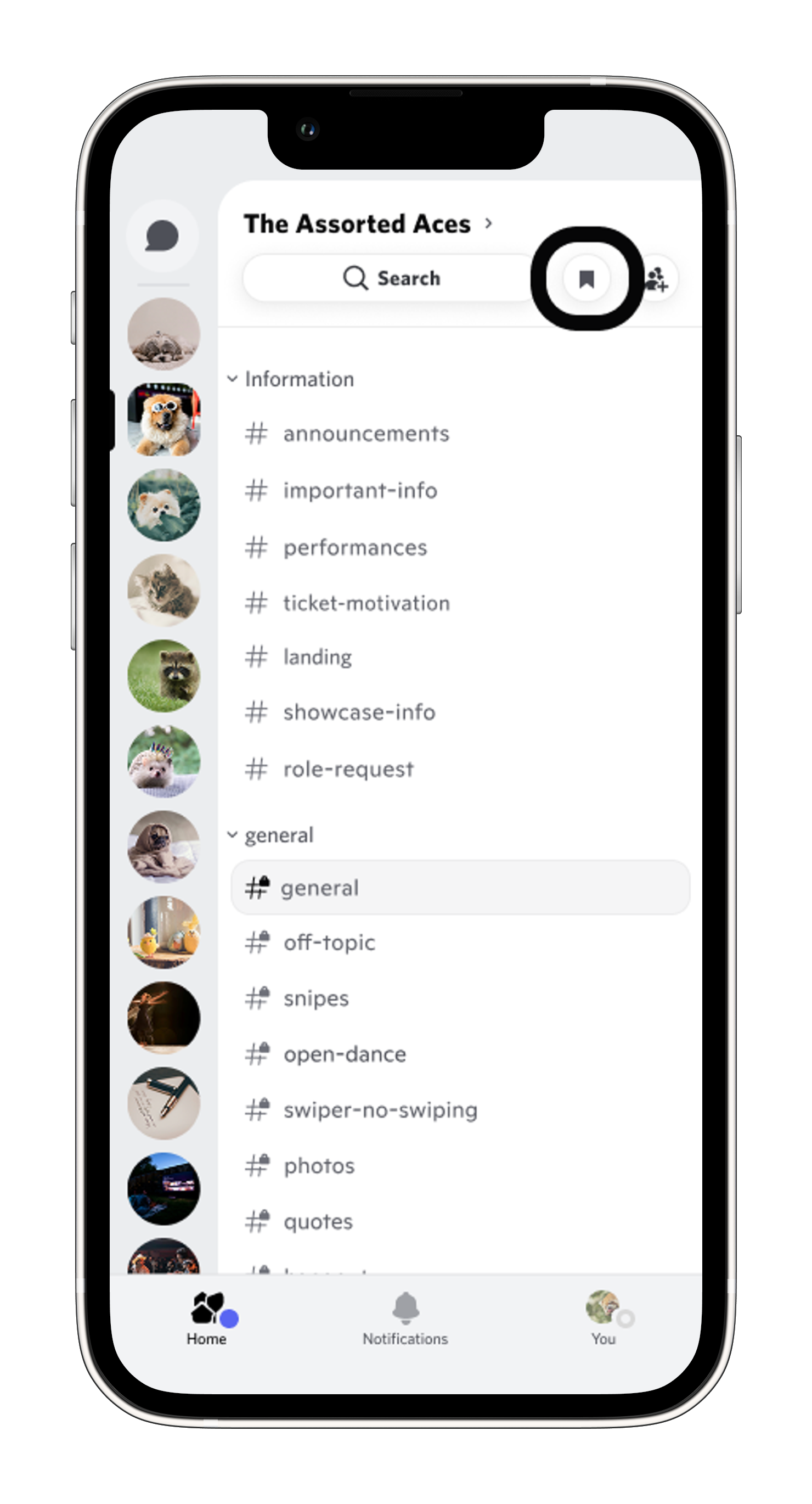
- ✓ Access from anywhere
- ✓ Prime visibility
- ✗ Takes navigation space
Channel Search
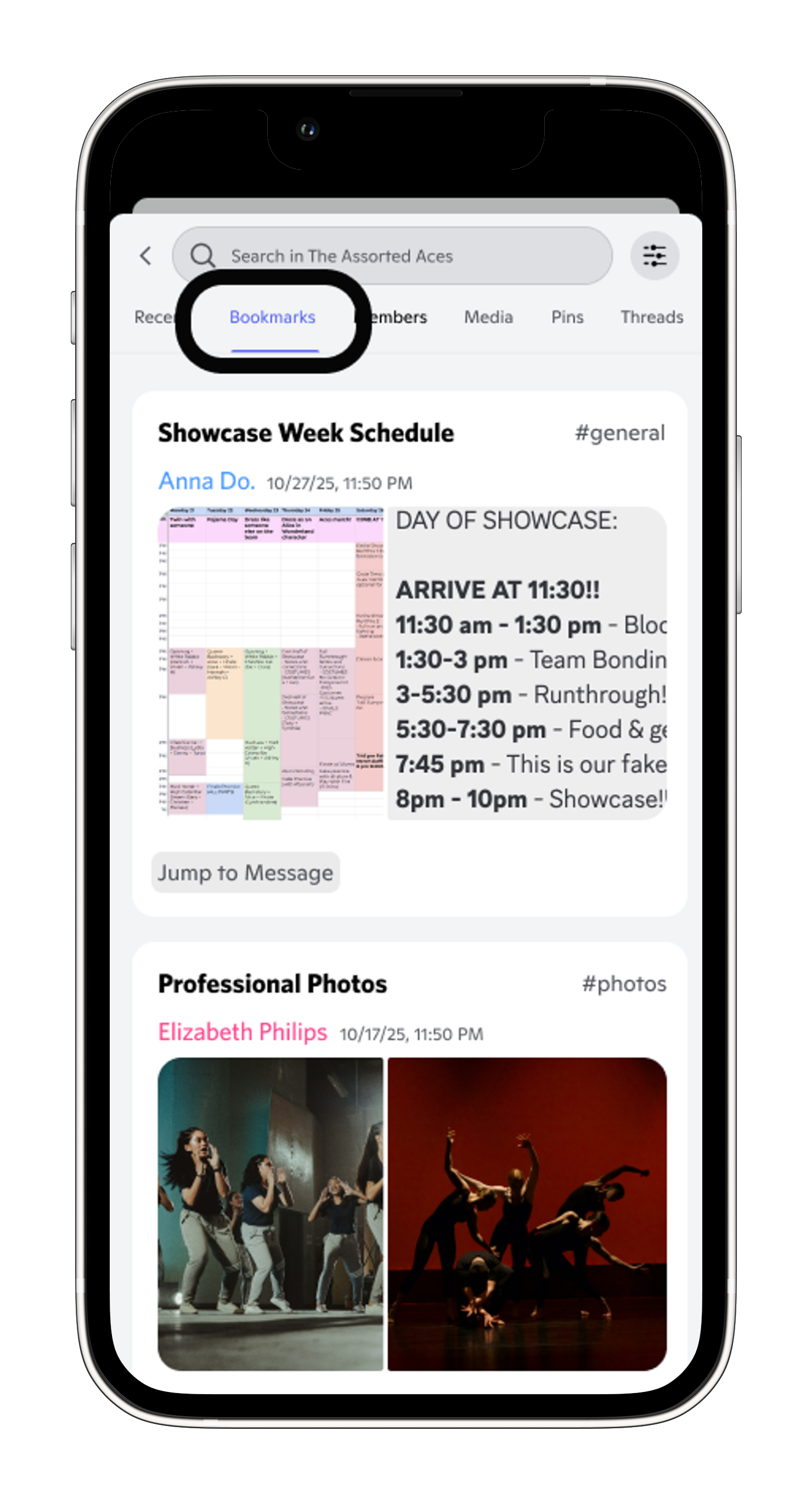
- ✓ Contextual grouping
- ✓ Less overwhelming
- ✗ Must remember channel
User Profile
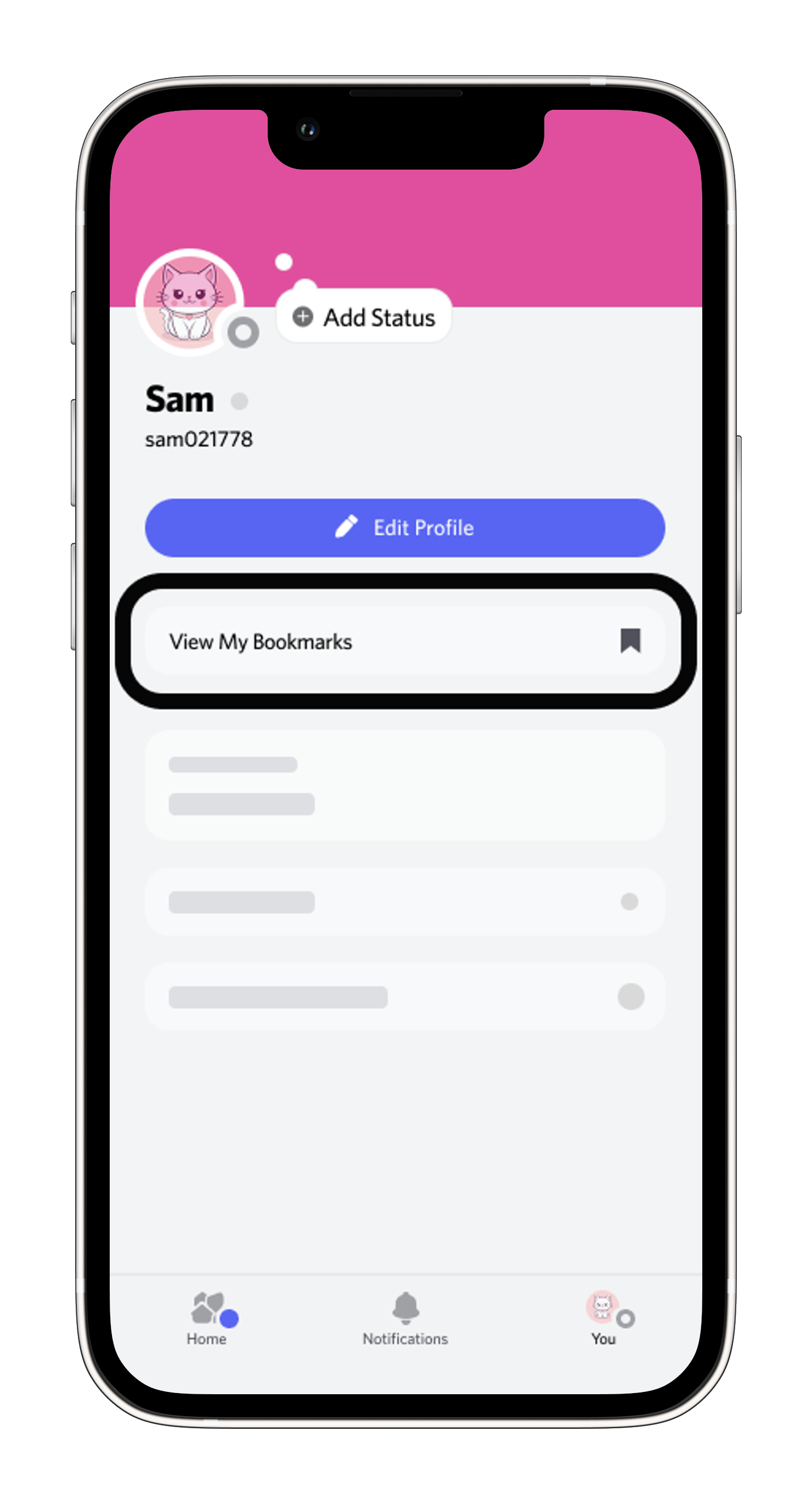
- ✓ Cross-server access
- ✗ Buried in profile
- ✗ Loses server context
Testing Needed: Users bookmark different content in different servers, so keeping bookmarks server-specific helps them stay relevant without interrupting chat. The real question is the tradeoff of visibility (Server Main Navigation) vs. context (Channel Search), whether users prefer always-visible bookmarks or server-specific ones.
Finding Bookmarks: Browse vs. Search
I debated two mental models for finding bookmarks: browse through a list or search with keywords.
Browse All
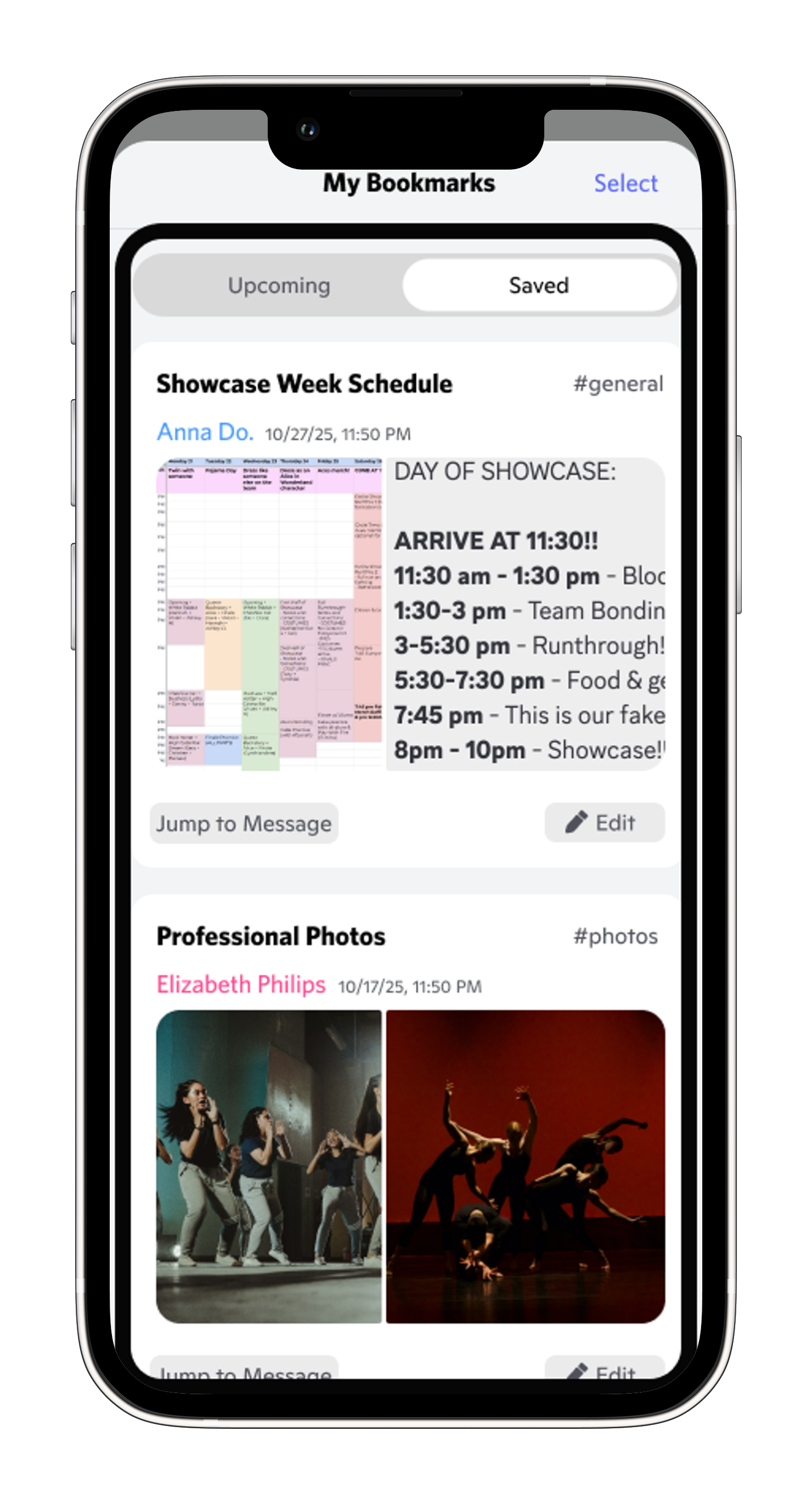
- ✓ No keywords needed
- ✓ See everything at once
- ✗ Requires scrolling as list grows
Search Filter

- ✓ Familiar search patterns
- ✓ Works across channels
- ✗ Requires remembering keywords
Testing Needed: Do users want to see everything at once, or type to find specific items?
User Testing
Testing with Real Users
I tested all three flows with 3 users (ages 18–24, all active in Discord activity groups). Each session followed task-based scenarios:
- Bookmark a showcase timeline message and set a reminder for one week before
- View and manage saved bookmarks
- Find a bookmark without remembering which channel or when it was posted
Flow 1: Creating a Bookmark
The task: "Bookmark this message about showcase timeline and set a reminder for one week before."

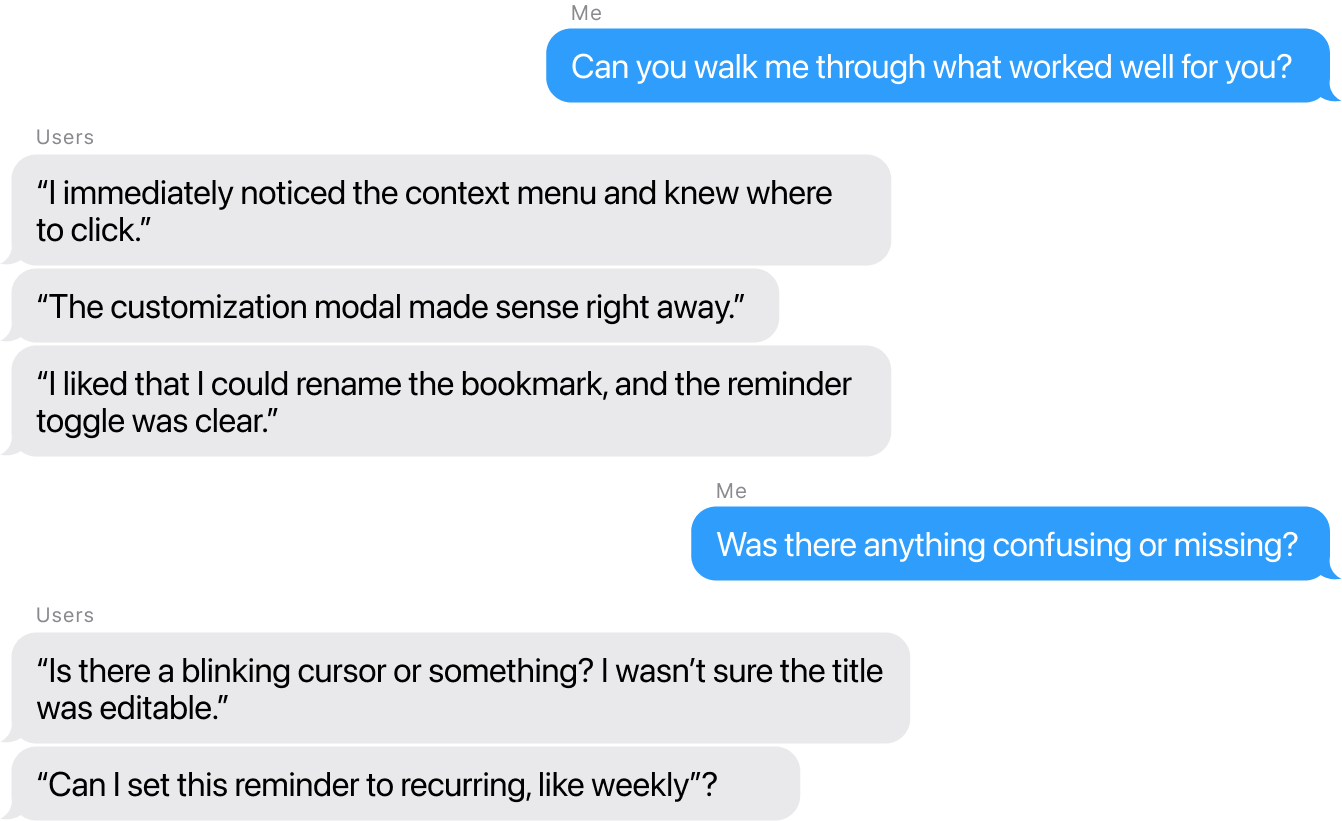
Before
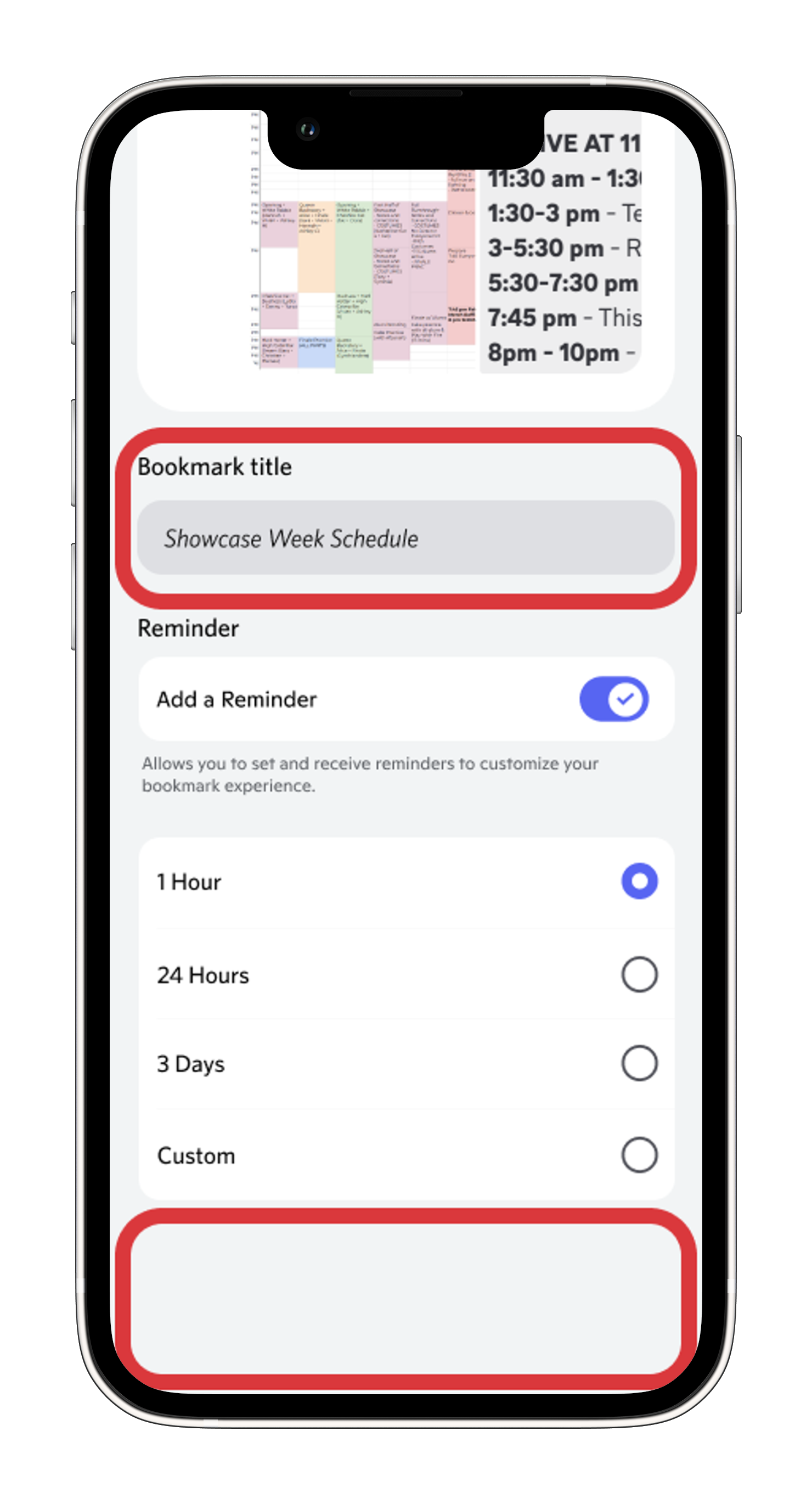
- ✗ No visual cue that title was editable
- ✗ No recurring reminder options
- ✗ Users had to set reminders one by one
After
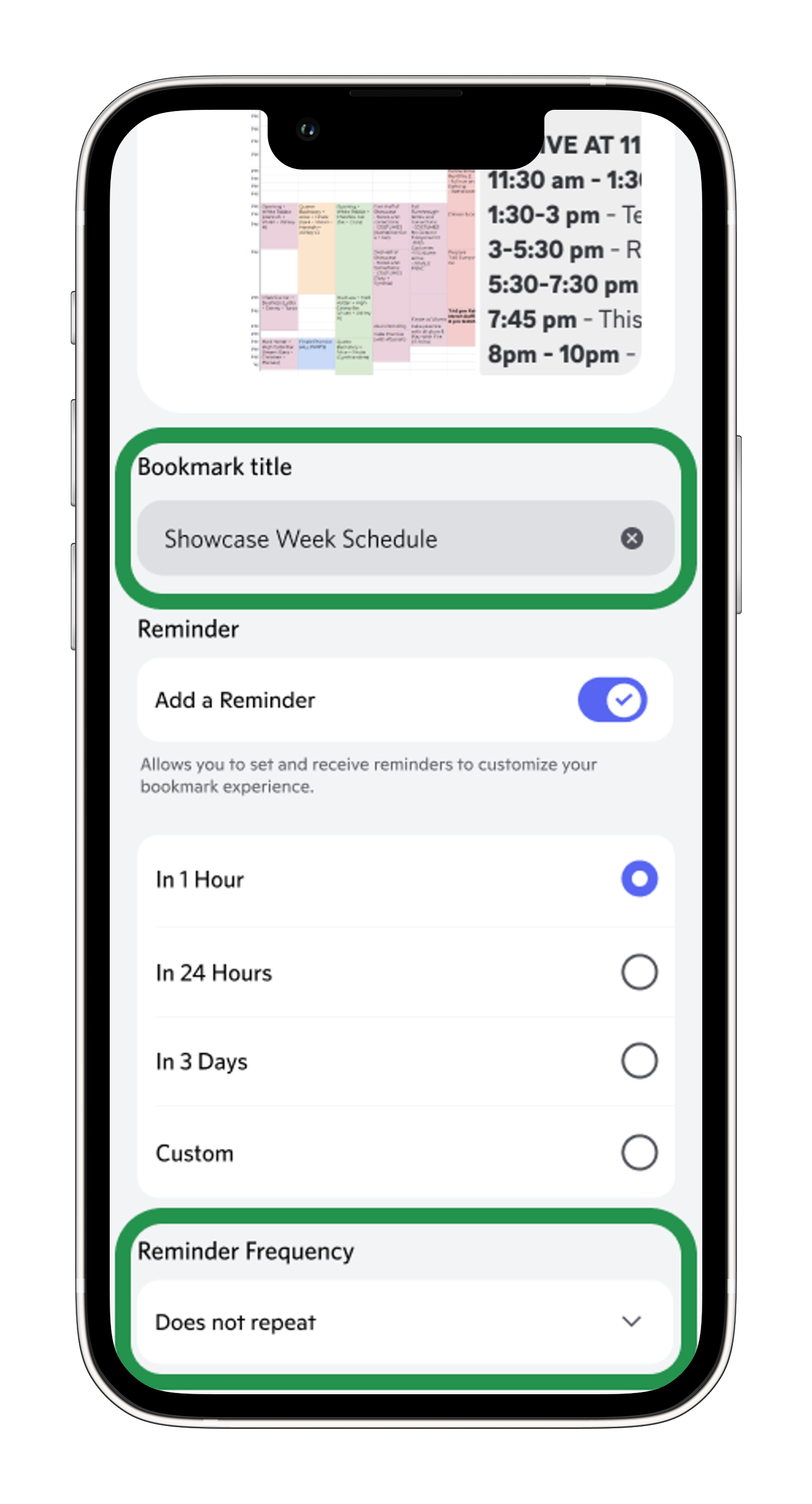
- ✓ Blinking cursor shows field is editable
- ✓ X button for quick clearing
- ✓ Recurring options: Every day, week, month
What I changed: Added a blinking cursor and X button to make it immediately clear the field was editable, using familiar patterns from Safari and Google Docs. Added recurring reminders (Every day, Every week, Every month) to support the weekly practices and monthly events users asked for.
Flow 2: Managing Bookmarks
The task: "Show me where you'd go to see all your saved bookmarks. Then try deleting one."
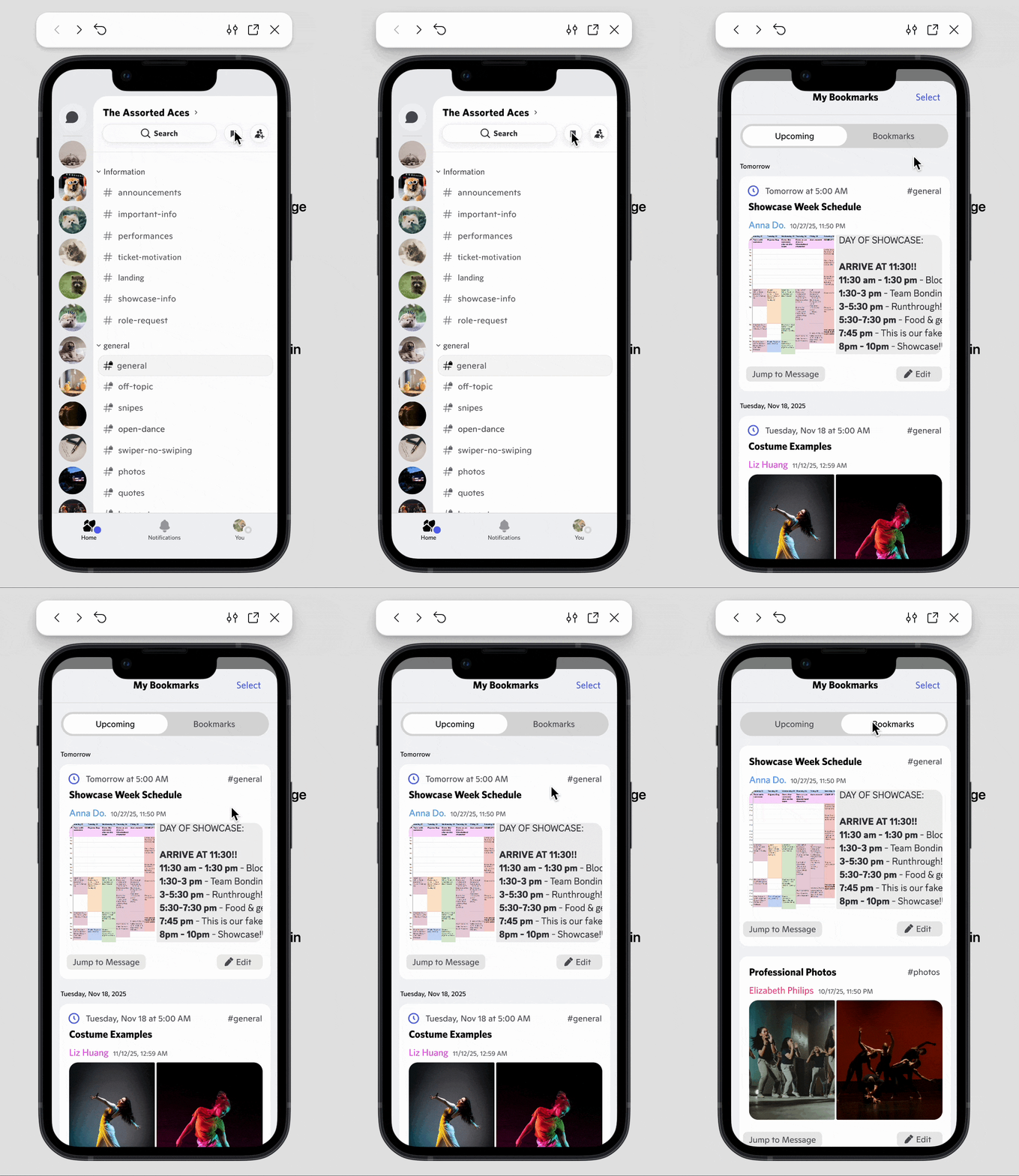
Before
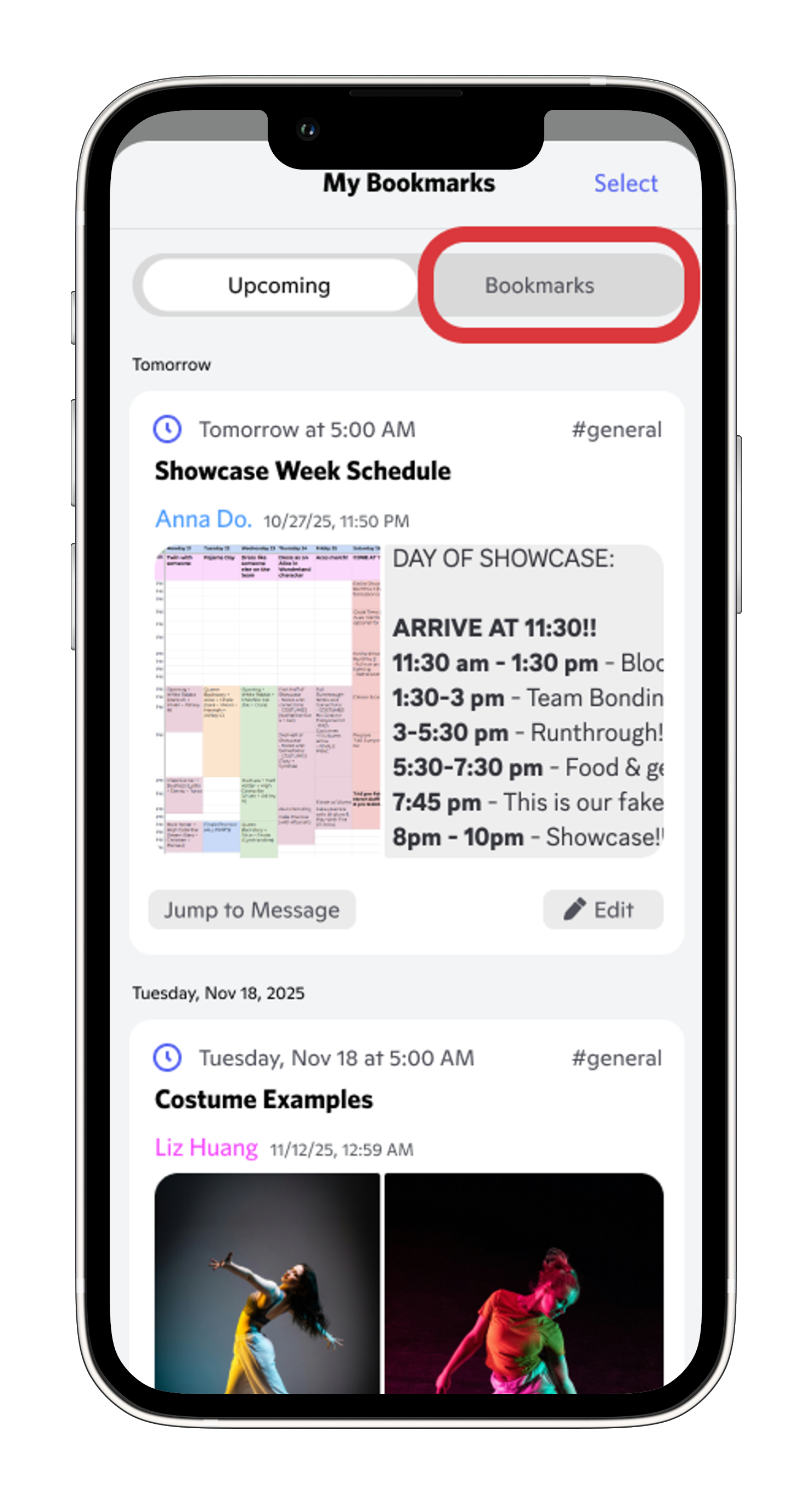
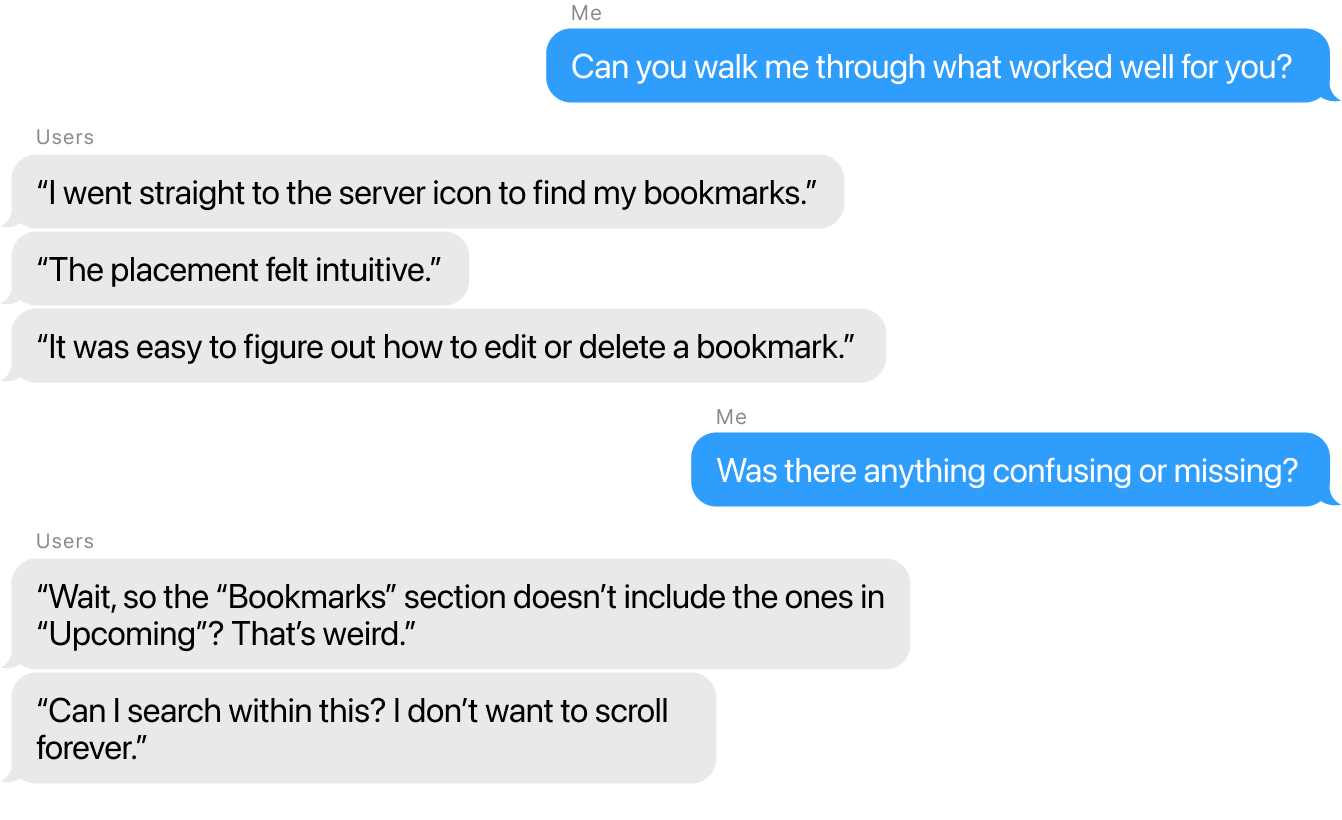
- ✗ "Bookmarks" section name was confusing
- ✗ Unclear that it was separate from "Upcoming" time-sensitive items
- ✗ No search functionality
After
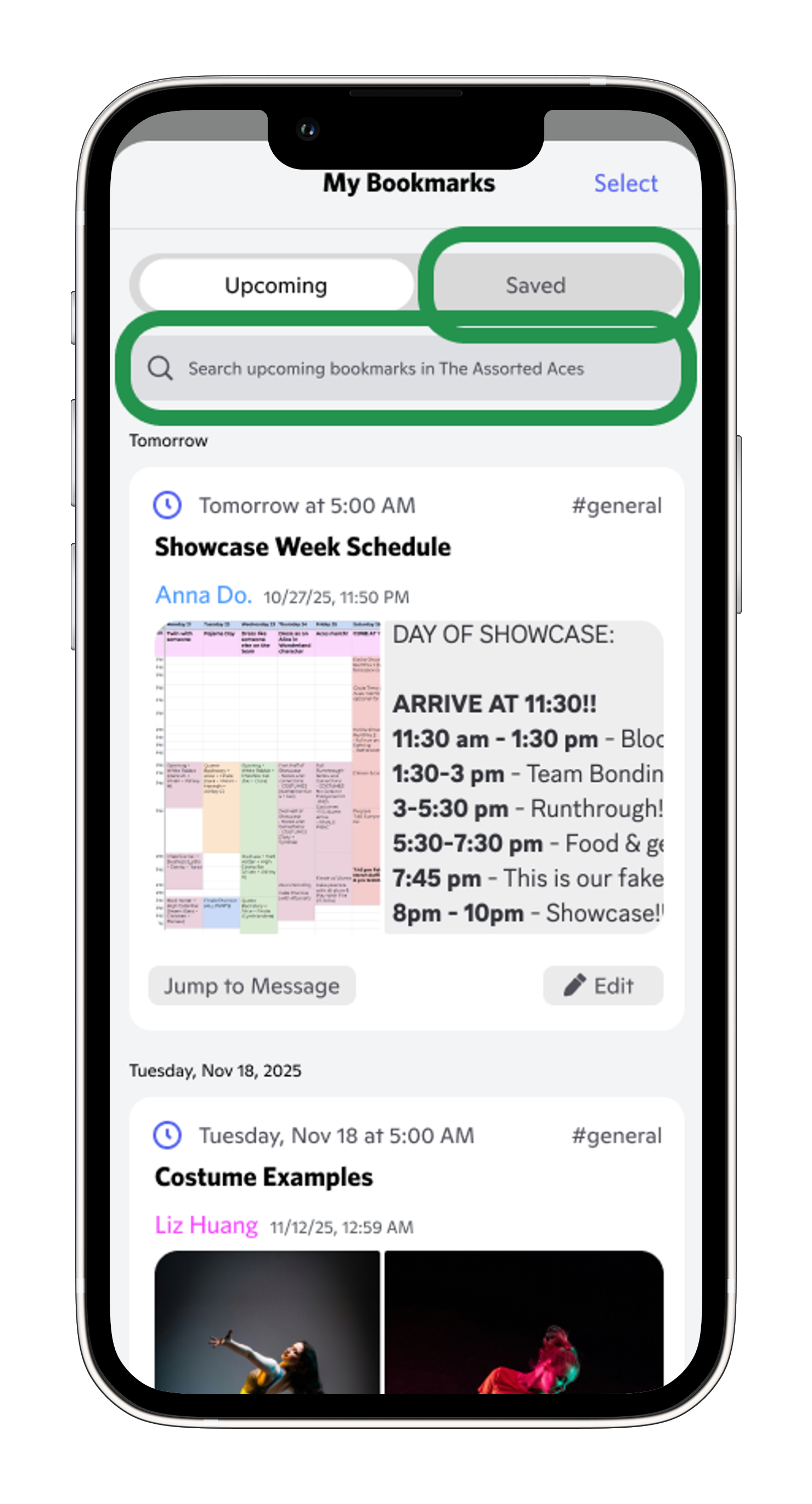
- ✓ Renamed to "Saved" for clarity that these were permanent bookmarks, compared to time-sensitive bookmarks
- ✓ All bookmarks in one unified view
- ✓ Search bar for quick filtering
What I changed: Renamed "Bookmarks" → "Saved" to eliminate the confusion all 3 users had about organization (time sensitive bookmarks vs permanent bookmarks). Added search bar at the top of the bookmarks modal so users could browse OR search in one place.
Flow 3: Searching for Bookmarks
The task: "Find your bookmark about the showcase schedule without remembering which channel or date."

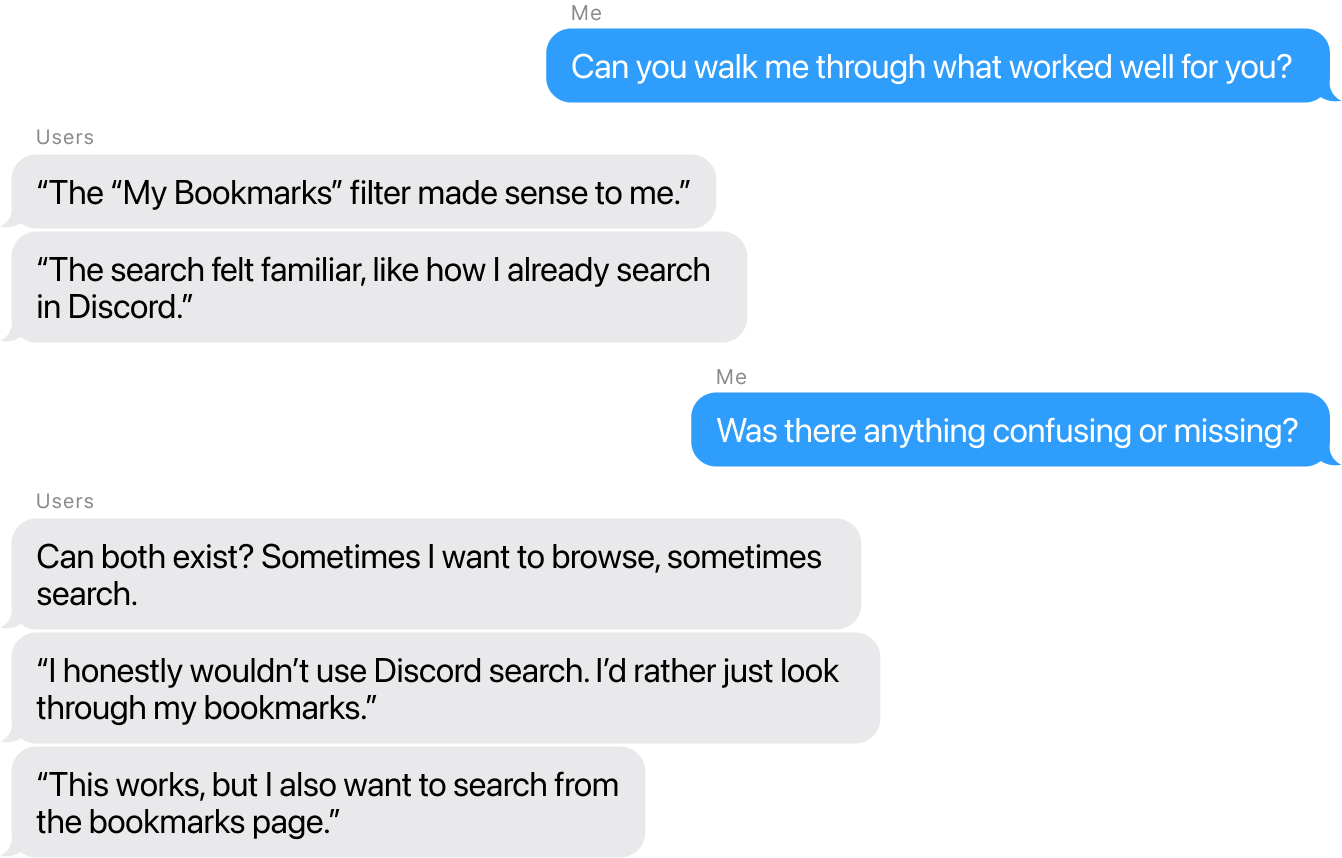
Before
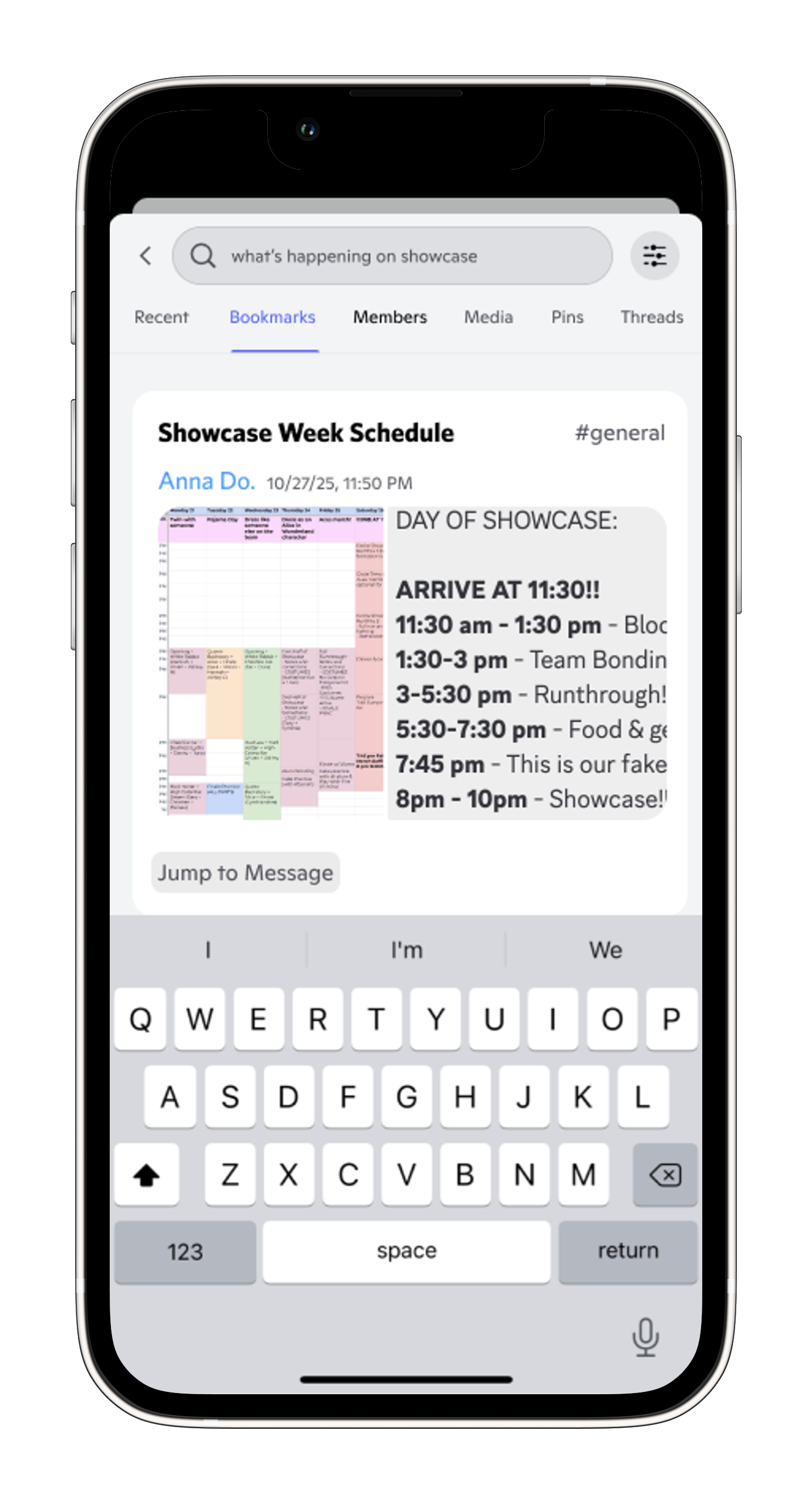
- ✗ Required using Discord's channel search
- ✗ Search separated from bookmarks view
- ✗ No option to browse and search together
After
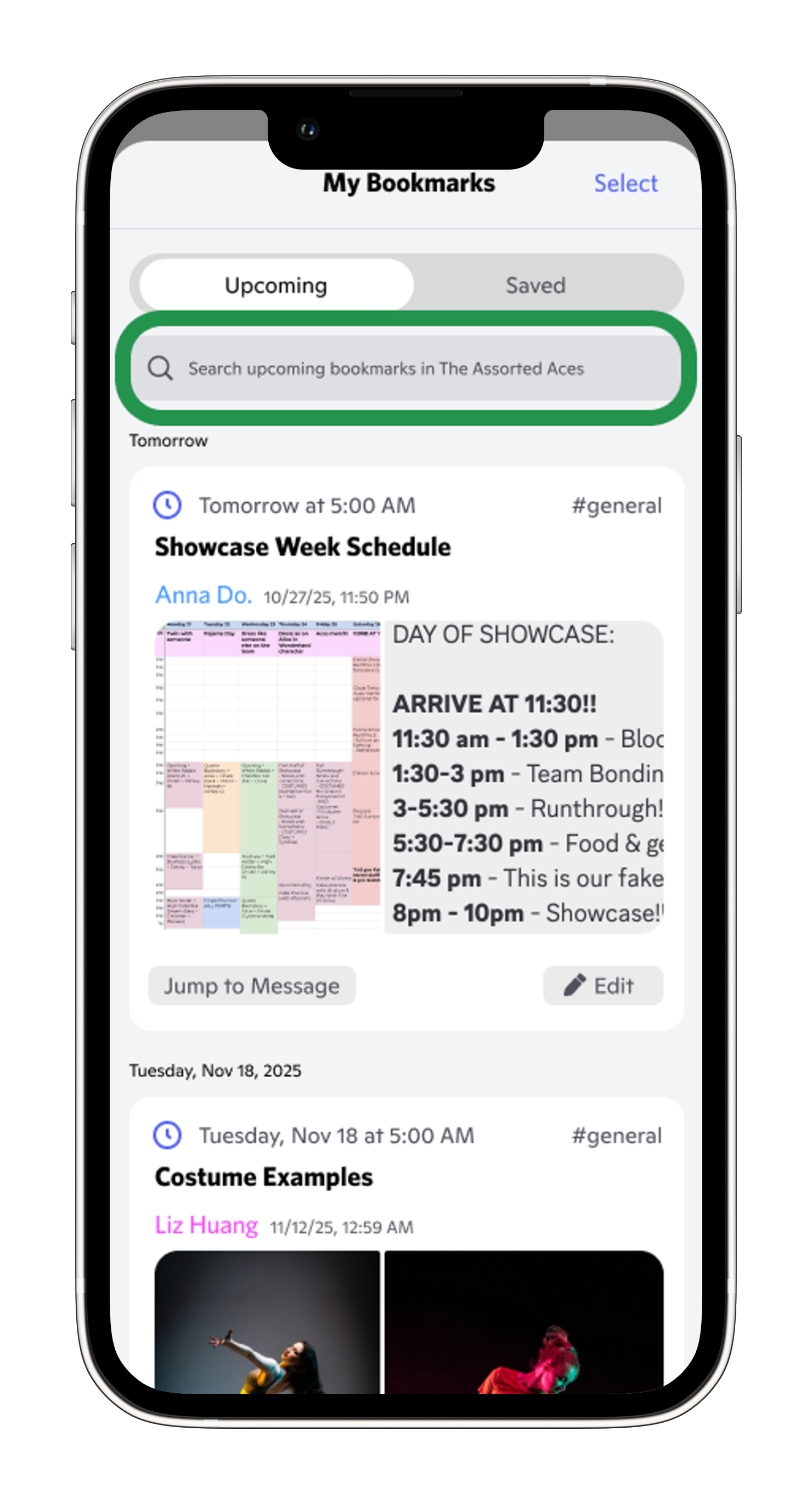
- ✓ Integrated search within bookmarks
- ✓ Browse and search in same location
- ✓ Flexible: users can choose their method
What I changed: Added search functionality directly within the bookmarks modal, allowing users to both browse and search in one place rather than forcing them to use Discord's separate channel search.
Final Design
Final Design Walkthrough
The final prototype brings all three flows together into one seamless bookmark experience.
Creating a Bookmark
Users can quickly save important messages before they get buried in busy channels.
Context Menu
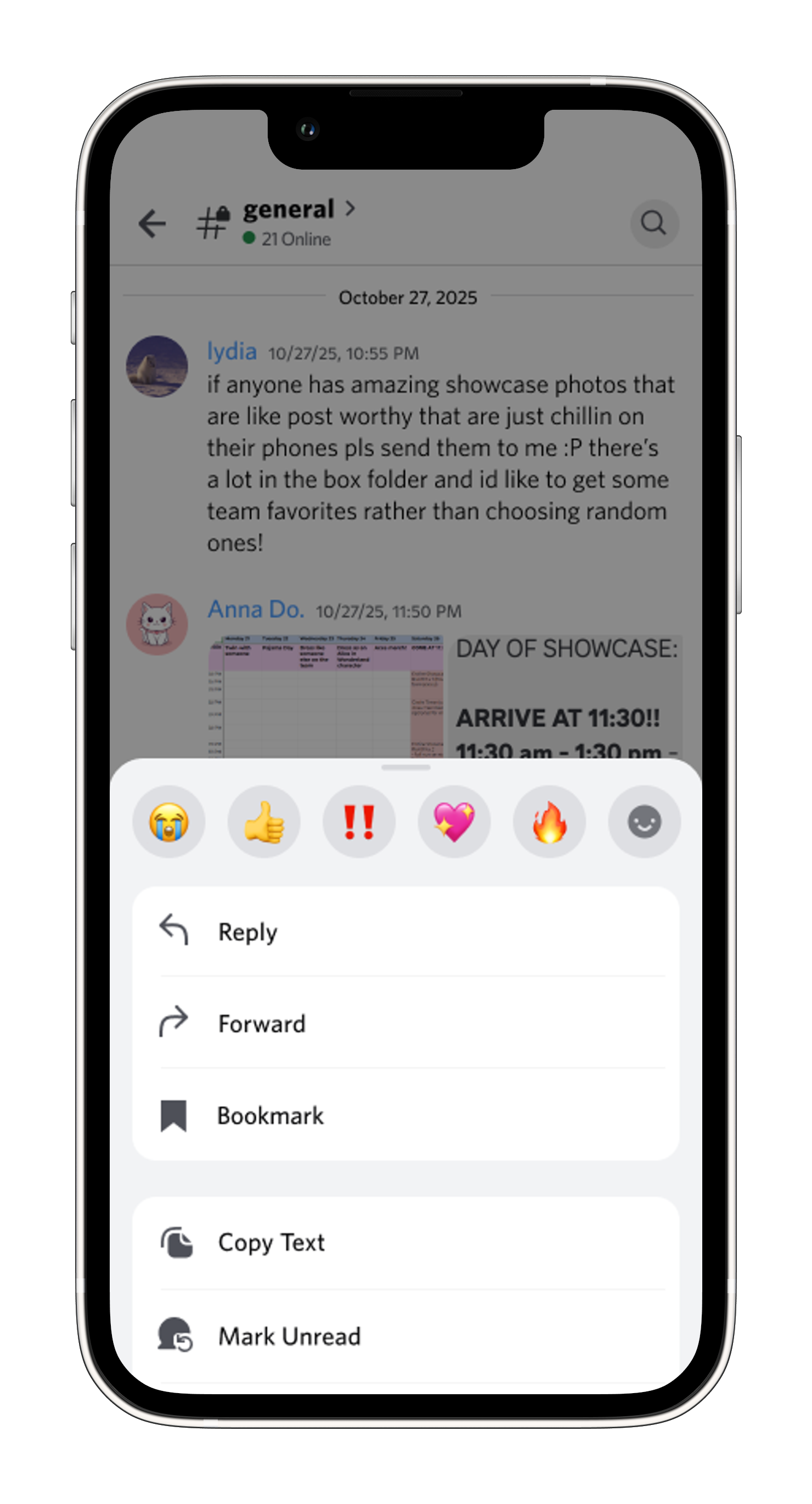
Access bookmarks via familiar context menu (long-press)
Edit & Reminders
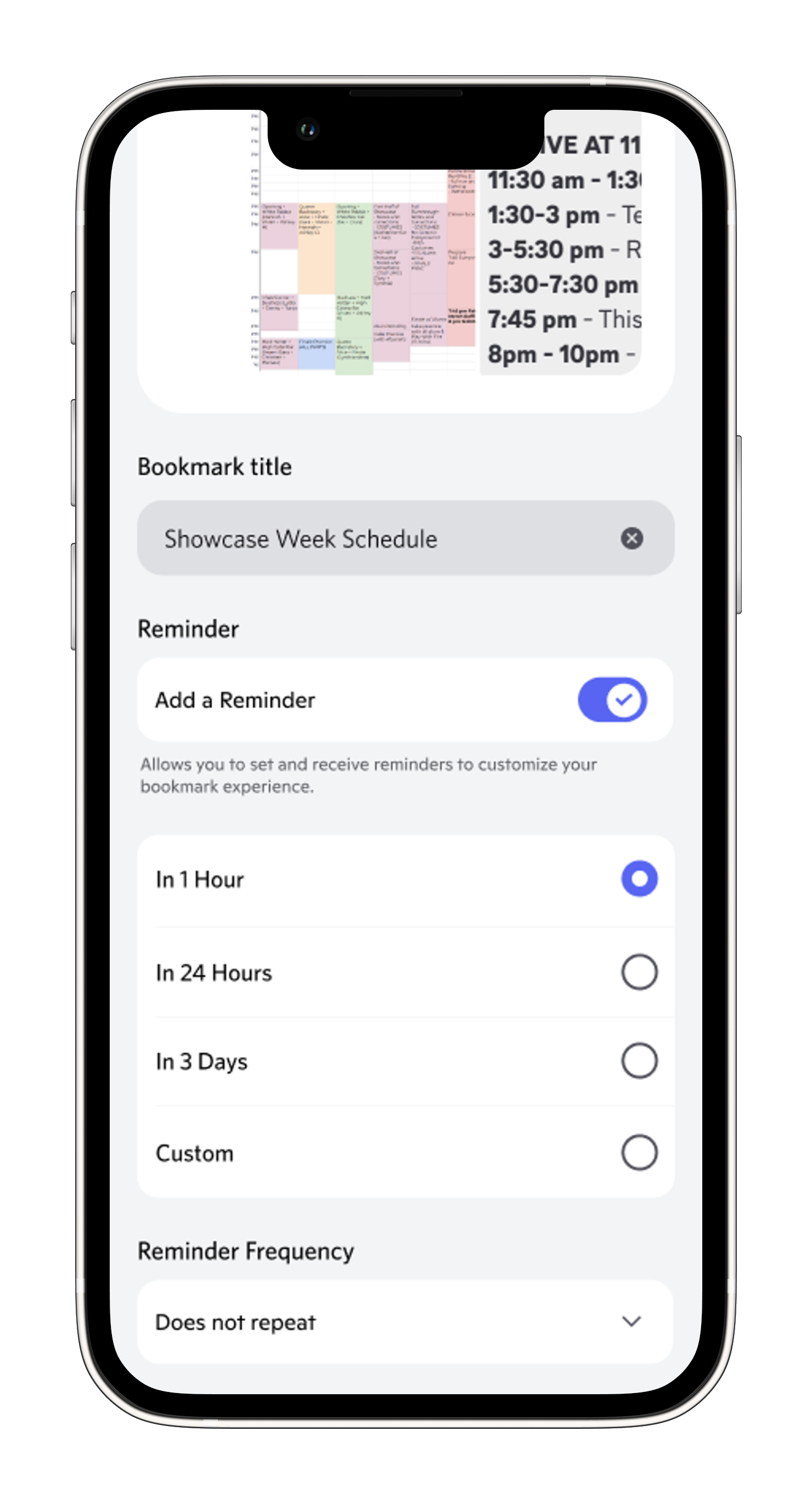
Edit auto-suggested titles and set optional recurring reminders
Confirmation
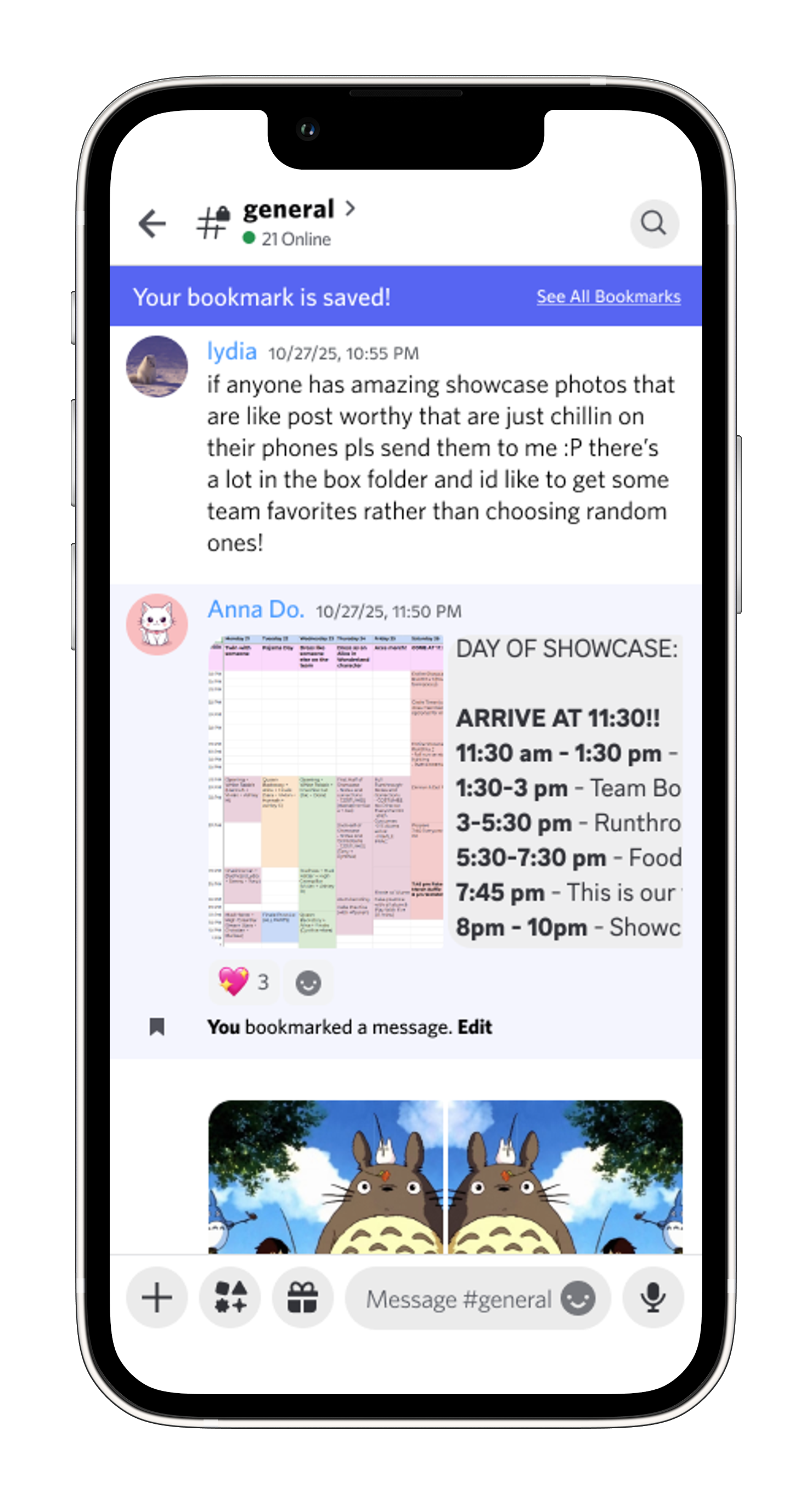
Receive instant confirmation and inline edit option when bookmark is saved
Managing Bookmarks
Users can browse or search their saved bookmarks with full context.
Search & Toggle
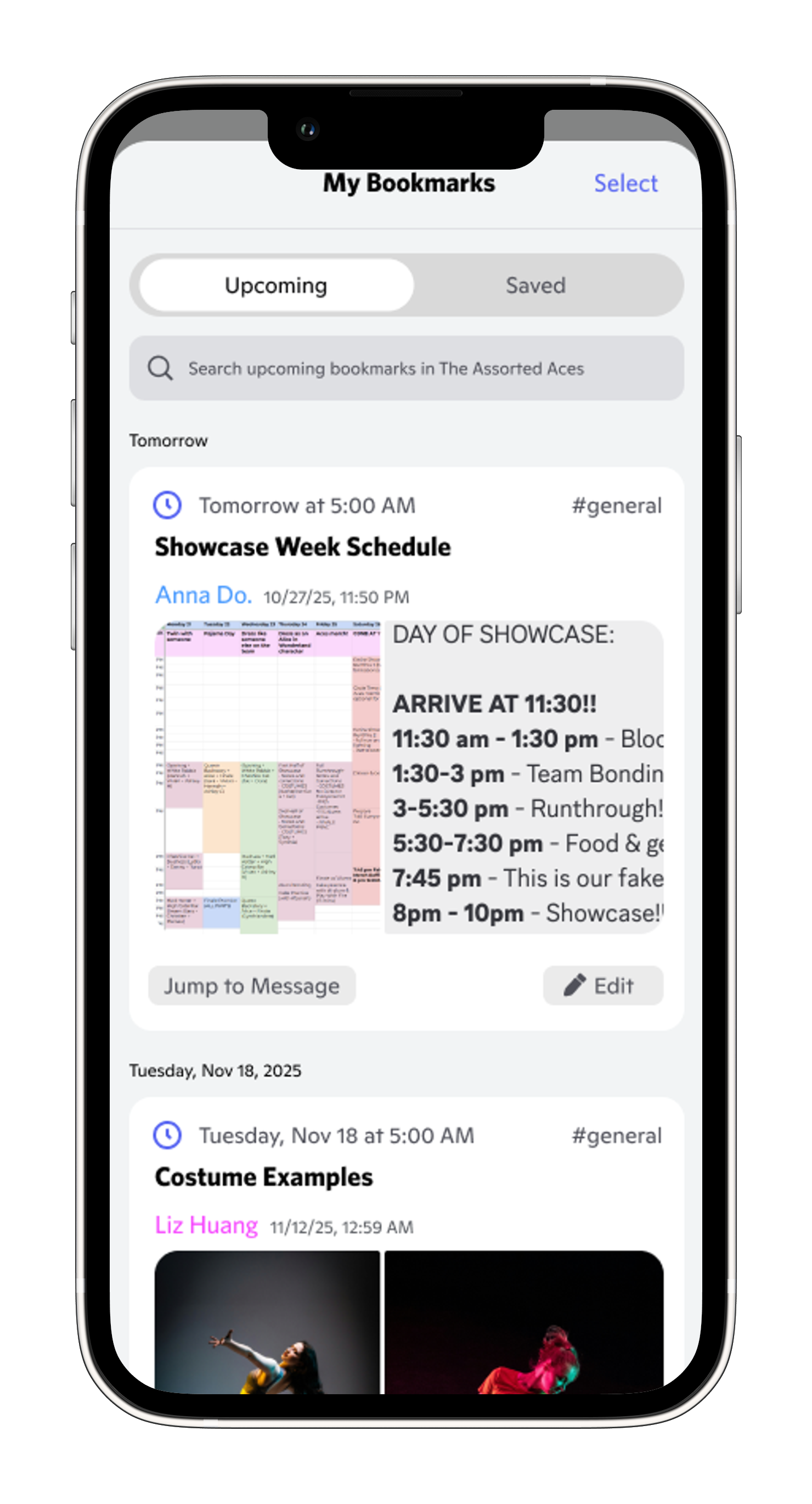
Search and toggle between time-sensitive ("Upcoming") and permanent ("Saved") bookmarks
Edit Modal
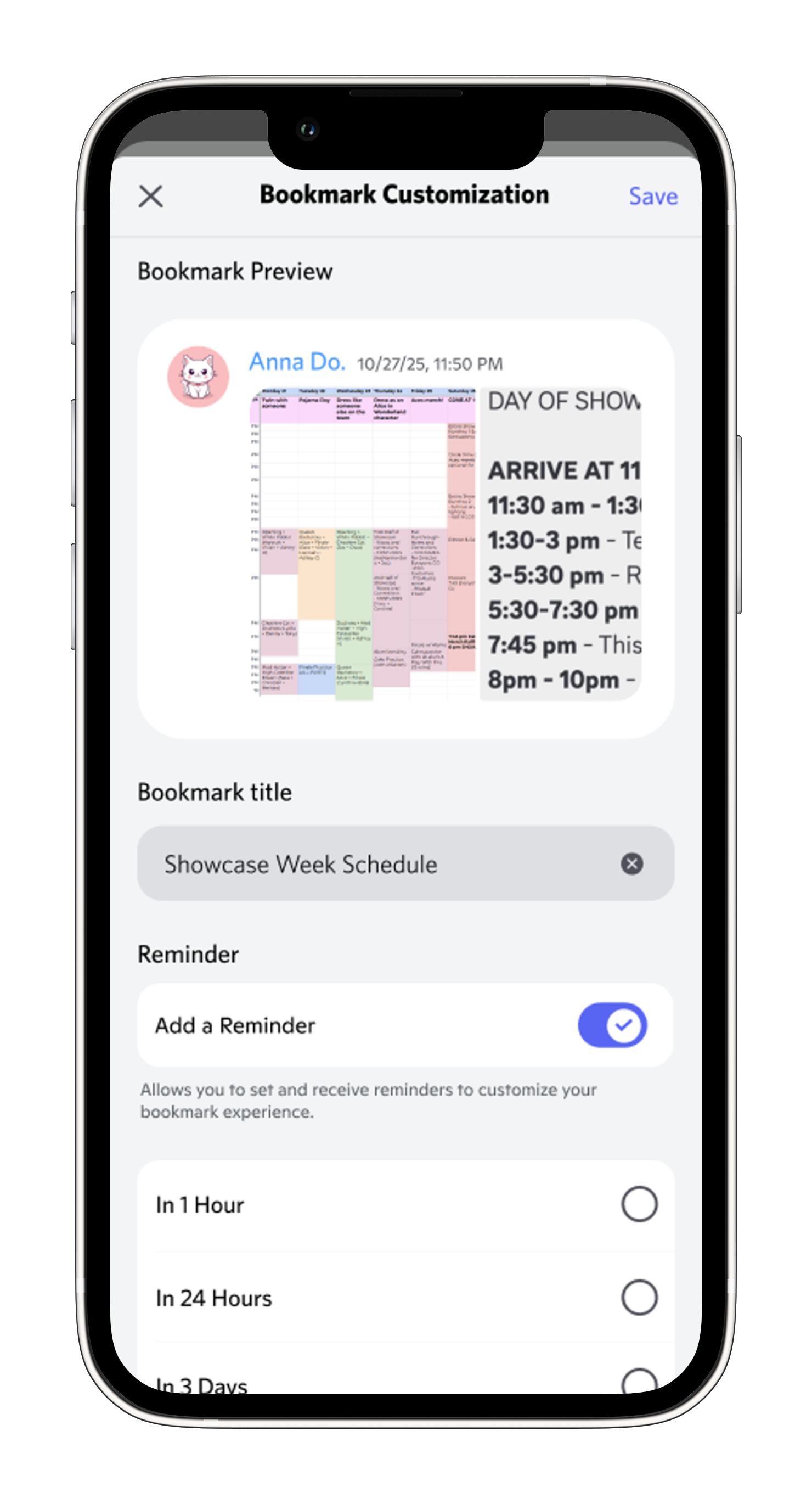
Re-customize bookmarks by editing title and reminders
Delete Confirmation
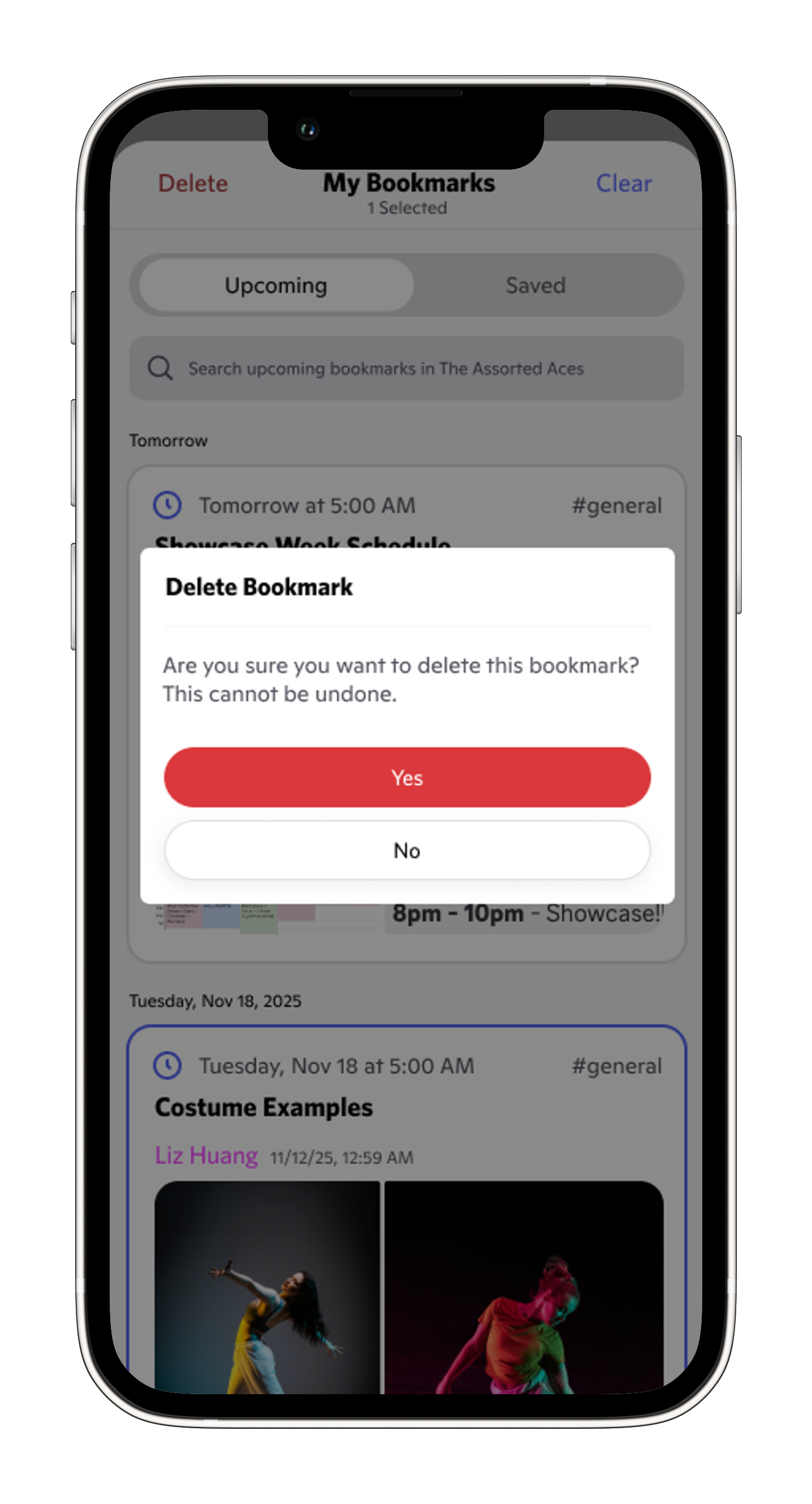
Confirm deletions to prevent accidental removal
Finding Bookmarks Through Search
Alternative path for users who prefer searching over browsing.
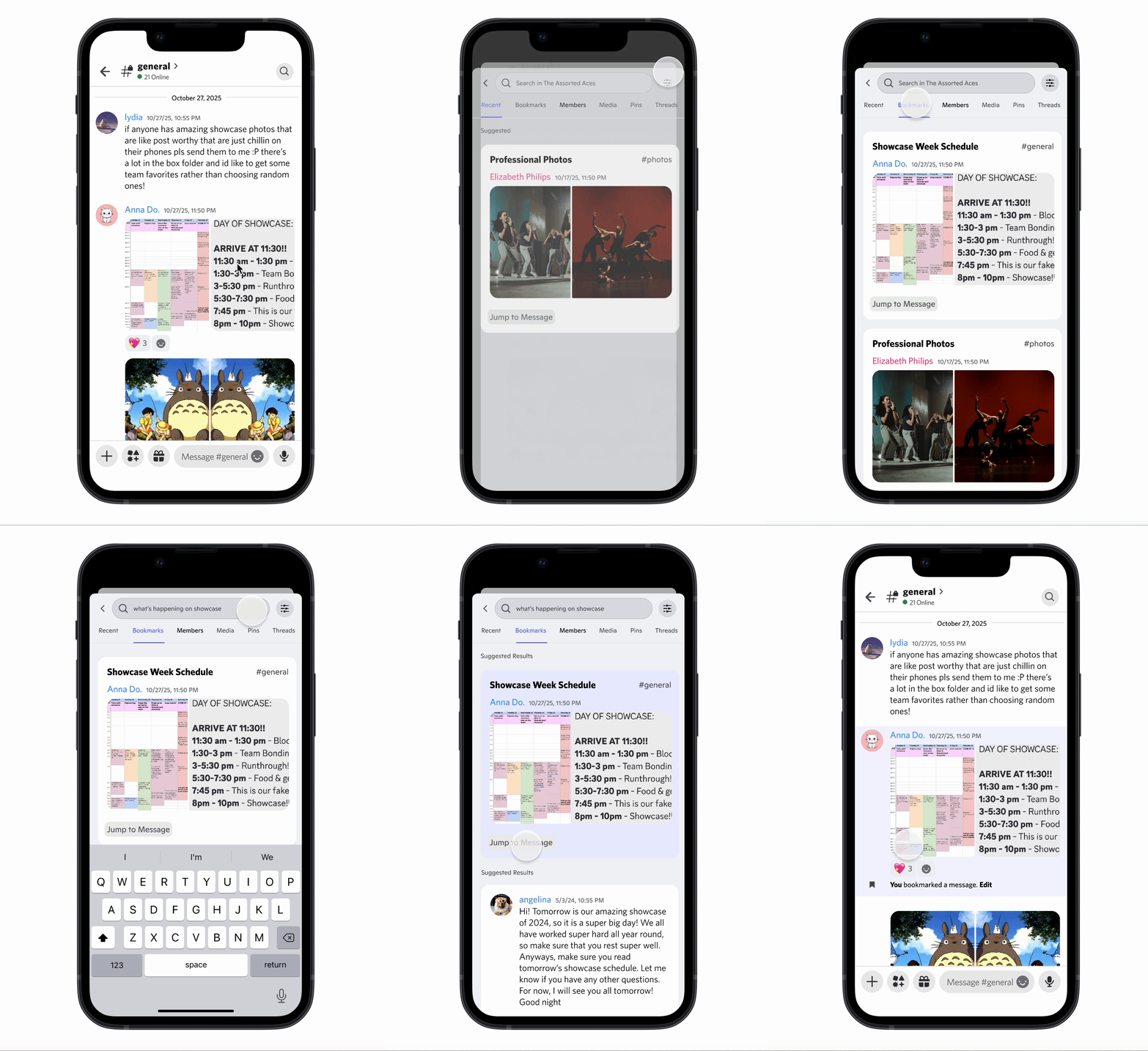
Channel Search Filter
Filter bookmarks within Discord's channel search
Prioritized Results
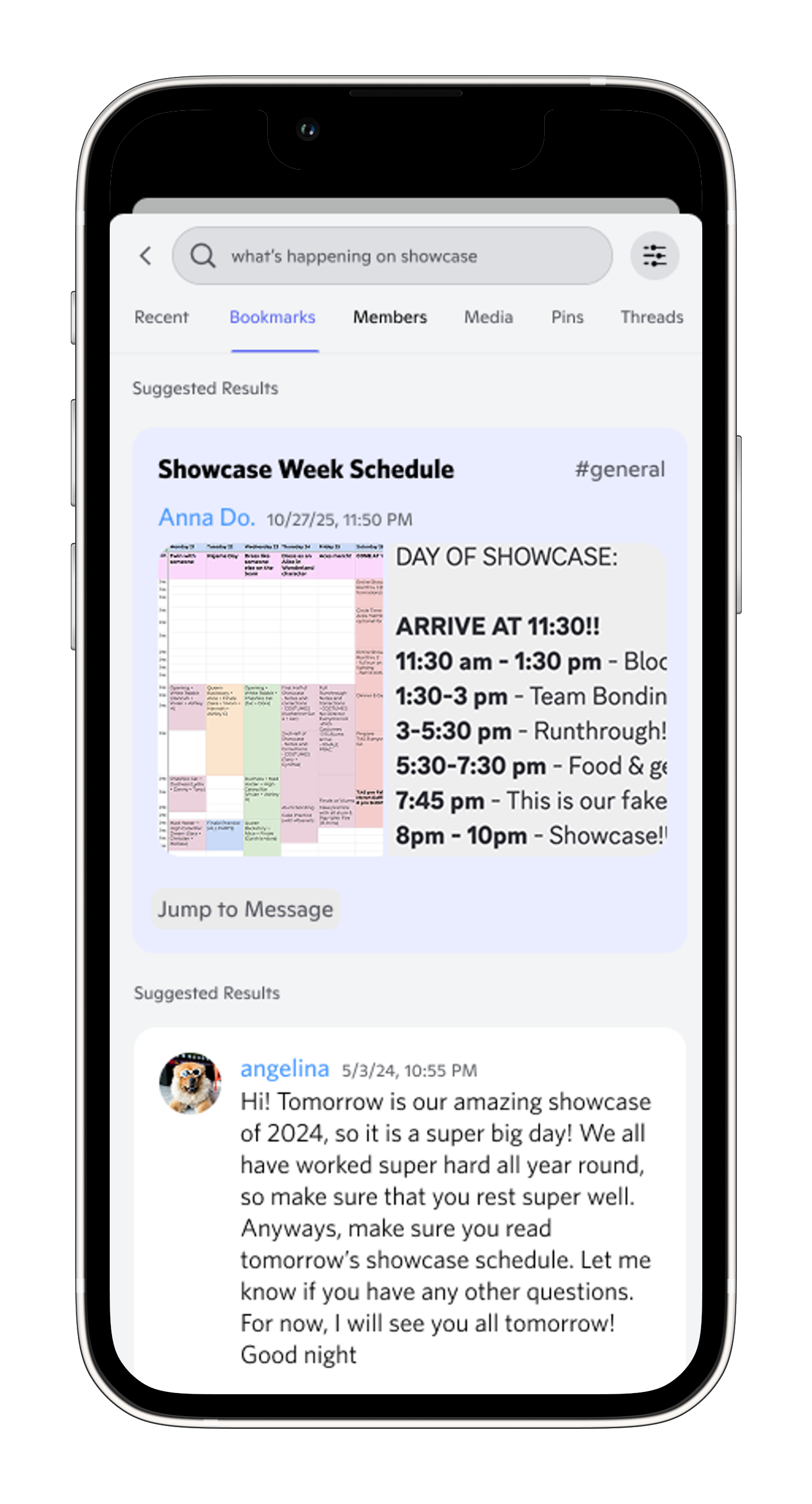
View most relevant bookmarks prioritized at the top of search results
In-Modal Search
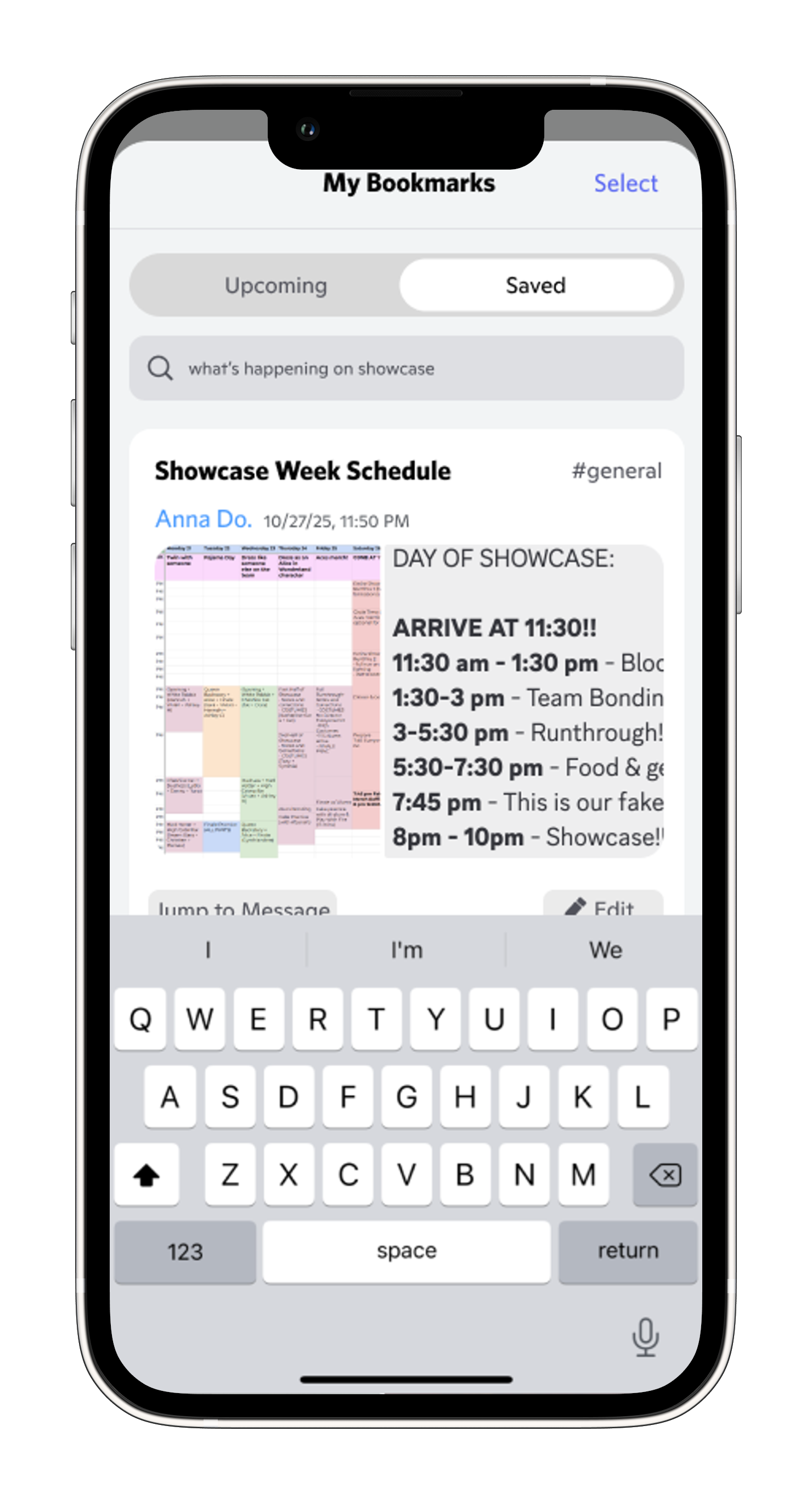
Search within bookmarks modal for quick filtering
Reflection
Reflection & Next Steps
Designing bookmarks for Discord taught me the power of letting research reframe the problem. I started focused on improving search, but user interviews revealed the real issue: people give up before they even start looking. This shifted my approach from reactive (better search) to proactive (save before it's lost).
With more time, I'd explore:
- AI-powered auto-tagging to categorize bookmarks by topic or urgency
- Testing with larger communities to validate at scale
- Predictive bookmarking that suggests messages to save before they get buried
Visual Design
Discord's Visual Design
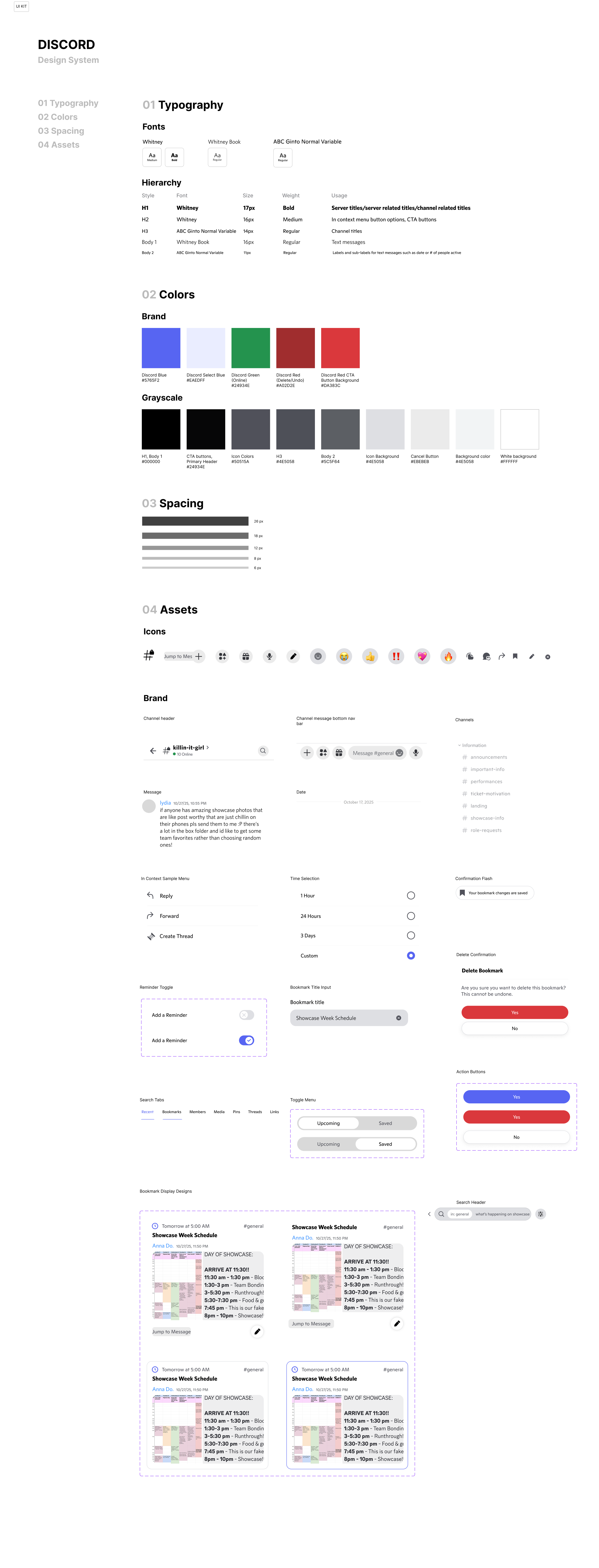
The design system I created for this project: